Booking actions
In a created booking, you can perform additional actions.
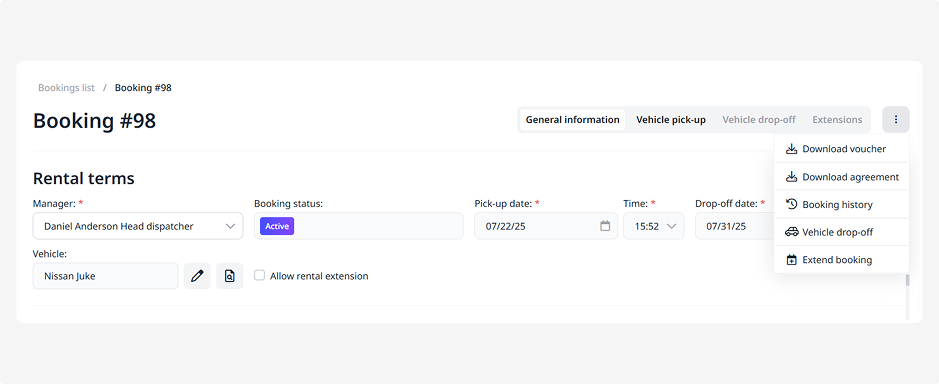
To access these options, click the three dots in the top-right corner of the booking page.
A menu will open with the main functions for managing the booking:
• Download voucher — get an official document containing the booking details
• Download agreement — download the rental agreement related to this booking
• View history — see who made changes and when
• Confirm booking — confirm and activate the booking
• Vehicle pick-up — record the vehicle handover to the customer
• Vehicle drop-off — record the vehicle return after the rental
• Extend booking — change the rental end date
• Cancel booking — close the booking if it’s no longer relevant
Some functions appear gradually depending on the booking stage.
For example, when a booking is newly created and awaiting payment, options such as vehicle pick-up, vehicle drop-off, or extension will not yet be available. Once the booking moves to the appropriate status, the corresponding actions will automatically appear in the Booking actions menu.