
How to view booking history
If you need to check who made changes to a booking and when — open the booking history.
To open the history:
1. Go to the actions menu on the booking page
2. Click Booking history
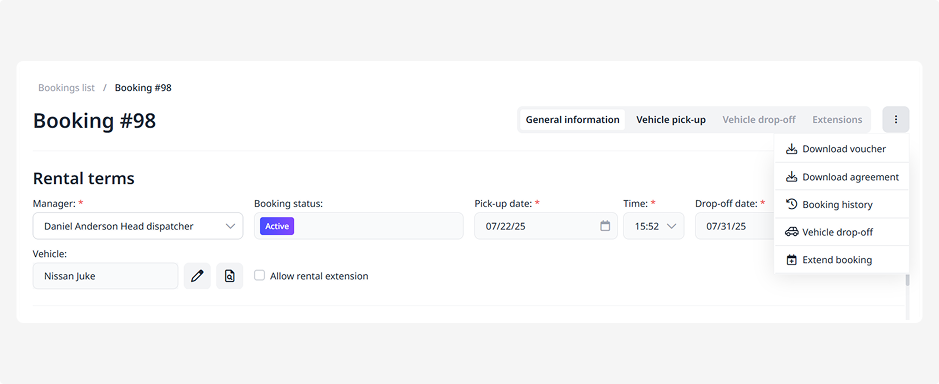
A log of all changes made to the current booking will open.
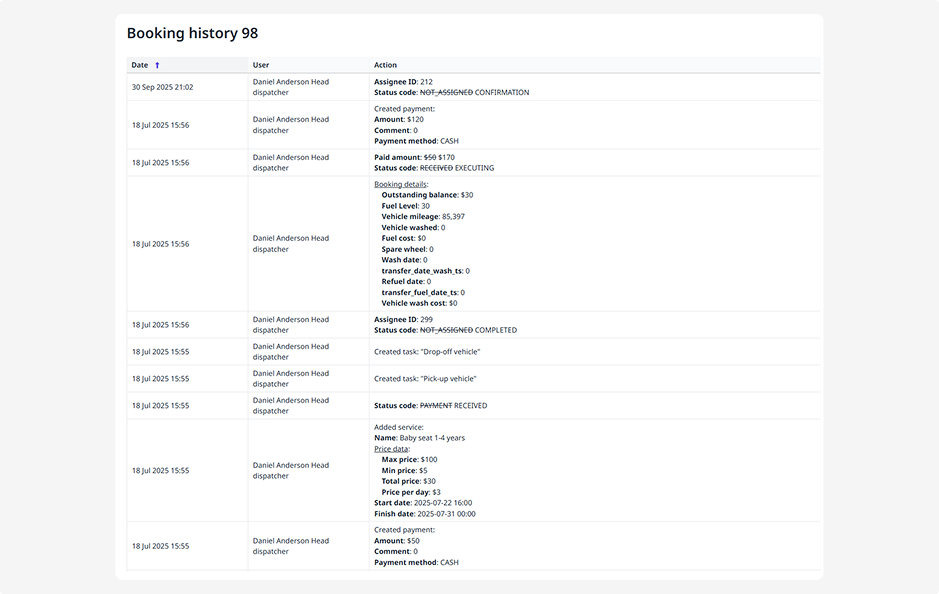
In the history, you’ll see:
• Who made the changes — the name of the manager, employee, or customer
• When the changes were made — date and time of each action
• What was changed — for example, rental period, price, or selected services