How to confirm a booking
When you create a booking, it receives the status To be paid — this means that the customer has been invoiced, but the payment hasn’t been received yet.
After the payment is made, you can change the status manually.
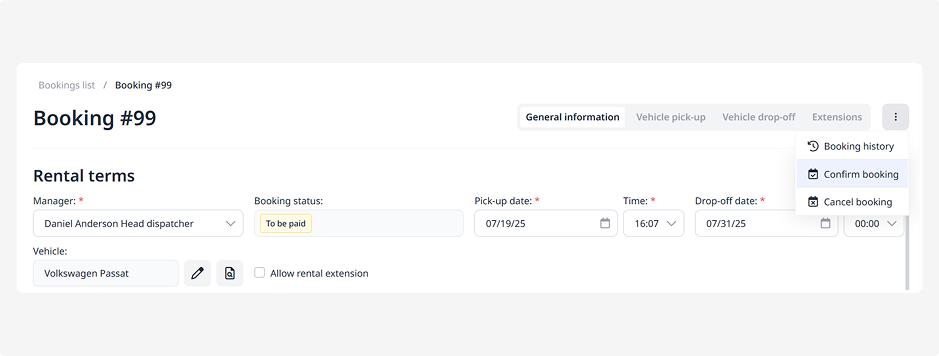
If necessary, the booking can also be confirmed without payment:
1. Open the booking page
2. In the actions menu, click Confirm booking
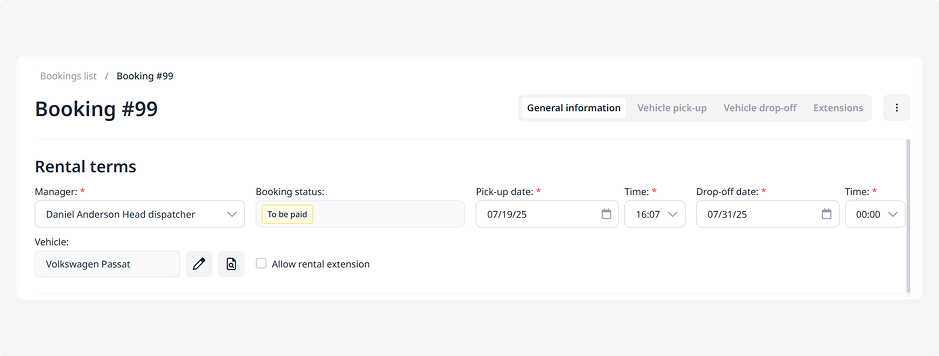
3. The booking status will change to Booked
The booking is now confirmed, and the vehicle is awaiting pick-up by the customer on the specified dates.