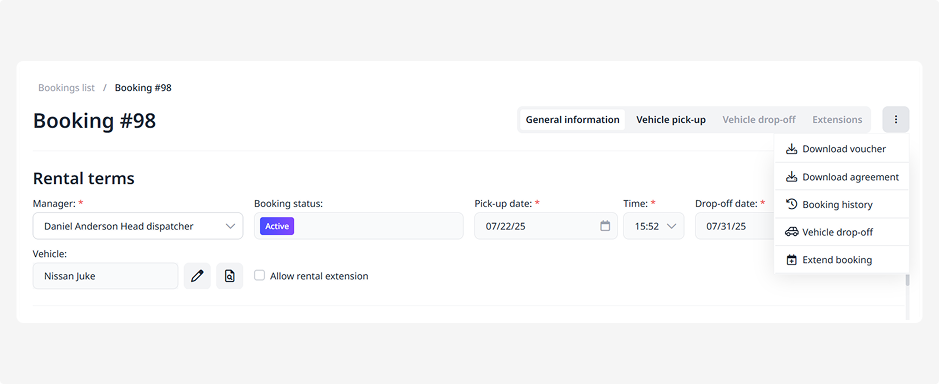
How to download an agreement
When a booking receives the Booked status, the system automatically generates a rental agreement.
This is an official PDF document that you can download, print, or send to the customer.
The agreement includes:
• Company and renter details
• Driver and vehicle information
• Rental period
• Rental cost and any additional services
• Deposit amount and return conditions
• Restrictions and penalties
• Rental terms and conditions
The agreement is automatically generated based on the settings you’ve configured in Settings → Company → «Agreement».
In this section, you can also upload your company’s digital signature, which will automatically appear in the agreement.
How to save the agreement:
1. Open the required booking
2. Click the three dots in the top-right corner of the page — this will open the actions menu
3. Select Download agreement