
App menu
To open the menu, tap the icon  in the top-left corner on any tab.
in the top-left corner on any tab.The menu contains all the main sections of the app.


Working with tasks
The menu includes the following task management tabs:
New tasks — tasks that have been assigned to you and are waiting for your confirmation
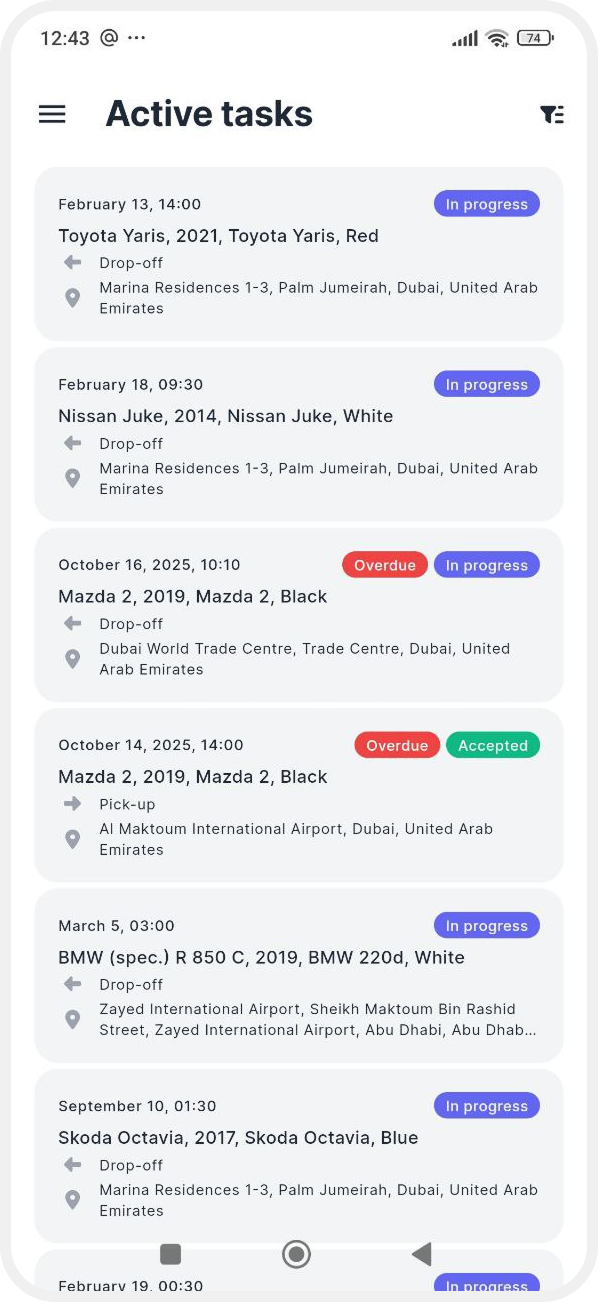
Active — tasks you have confirmed and are currently working on. Here you complete vehicle pick-up or drop-off forms and enter all required information
Completed — tasks you have already finished

Events
In the Events tab, you can see all notifications related to your tasks.

Unread notifications are marked with a red badge. Tap a notification to open and read it. To mark all notifications as read, tap Read all as read.

You can also use the calendar filter  — select specific dates to view notifications for a chosen period.
— select specific dates to view notifications for a chosen period. 
Settings
The Settings section contains app and account preferences.
Account
View your basic account information.

You can also:
-
Change your password
-
Log out of your account
If you need to delete your account, please contact support.
Language
Change the app interface language.

Synchronization
Connect Google Calendar and sync tasks with your phone’s calendar so you don’t miss anything.
Onboarding
A short guide on how to use the app.


About
Terms of use, privacy policy, and personal data information.

Push notifications
Use the toggle to enable or disable push notifications.
Appearance
Choose how the app looks.


You can:
-
Use your smartphone’s system theme
-
Enable light mode
-
Switch to dark mode