
How to complete a vehicle drop-off
When the renter returns the vehicle, the drop-off must be recorded to confirm the vehicle’s condition, note any violations, and close the rental.
The drop-off is completed through a special form filled out by a fleet employee.
This form captures the technical condition of the vehicle, includes photos, documents any violations, and calculates the final refund or deduction amount.
How to start the vehicle drop-off
1. Open the required booking
2. On the booking page, click the three dots in the top-right corner
3. Select Vehicle drop-off
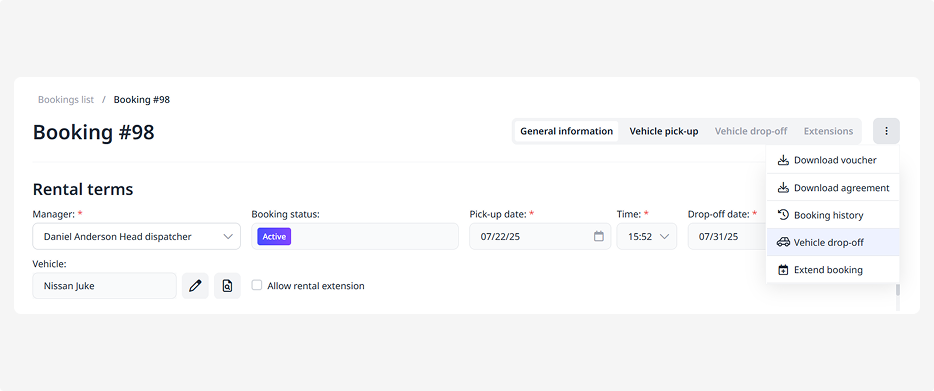
4. A drop-off form will open, which includes several blocks:
• General information
• Vehicle
• Photos
• Violations
• Calculation
5. Fill out the form to record the drop-off and complete the booking
General information
Here, you record who accepted the vehicle and where the drop-off took place:
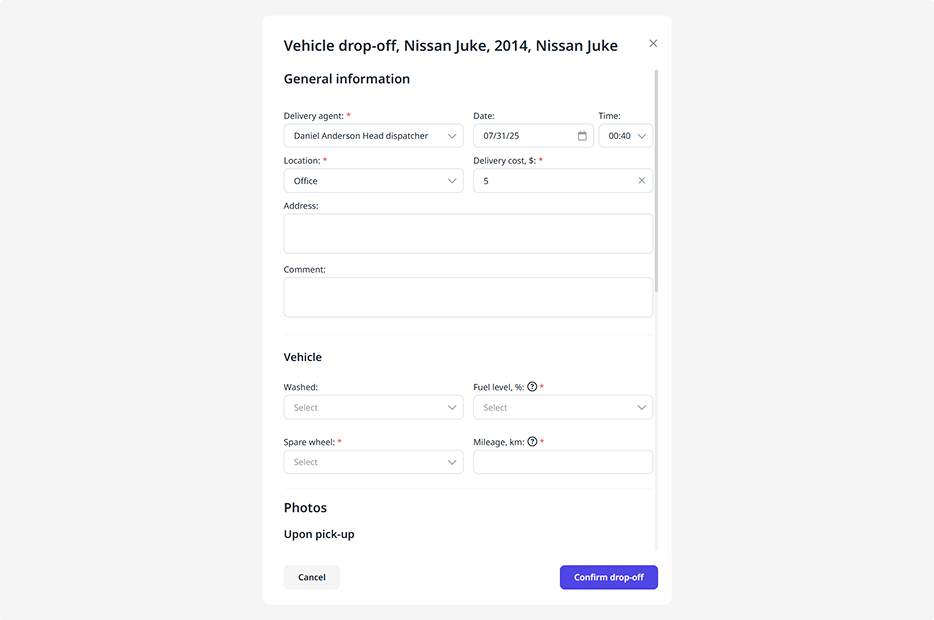
• Delivery employee — select the staff member who received the vehicle from the customer
• Drop-off date and time — specify the exact date and time
• Drop-off location and address — select and enter the location details
• Delivery cost — if the return is paid, enter the amount
Vehicle
Here, record the vehicle’s technical condition upon return:
• Car wash — note whether the customer cleaned the car before returning it
• Fuel level — specify how many liters remain in the tank
• Spare wheel — mark whether it’s present
• Mileage — record the current odometer reading
Photos
Add photos of the vehicle upon return to document its external condition.
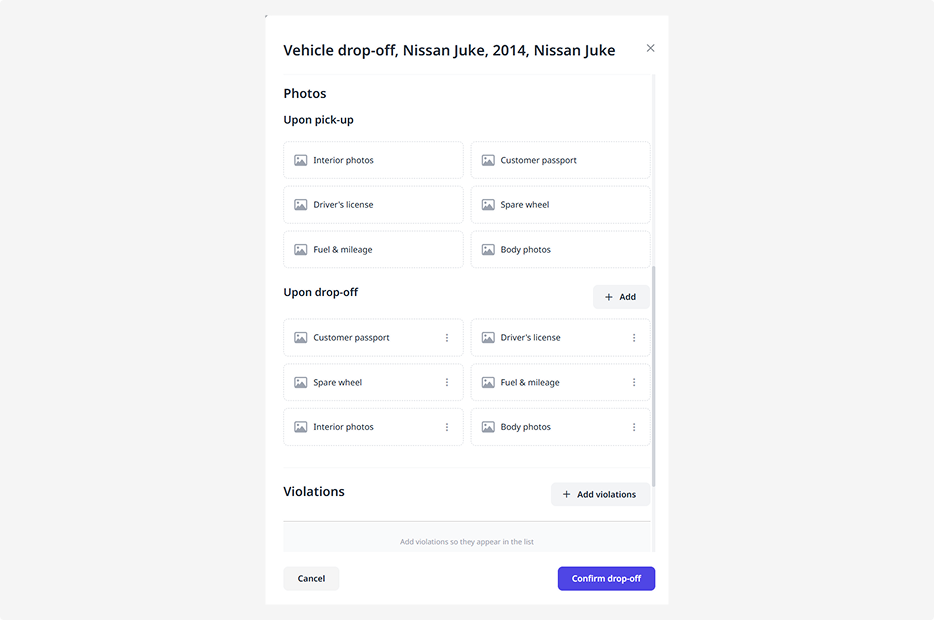
To add photos:
1. Click Add
2. Enter a name for the file
3. Select the file from your device
4. Click Save
This block will also display the photos taken during the vehicle pick-up. You can compare them to check if any new damages have occurred.
Violations
If the customer violated the rental terms, record it here:
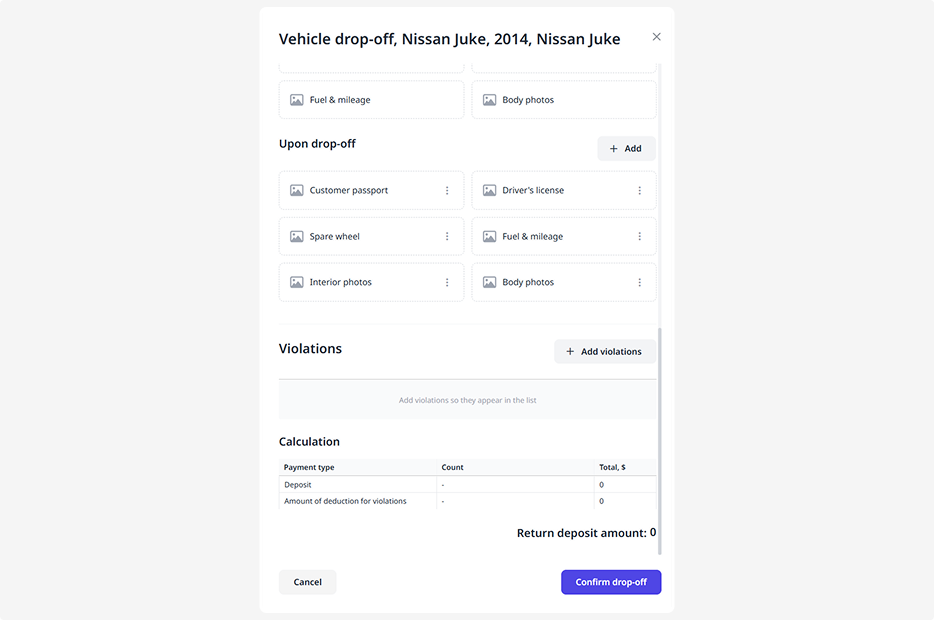
1. Click Add
2. In the violations form, select the violation type from the list. You can configure the list and fines in advance in the Violations tab
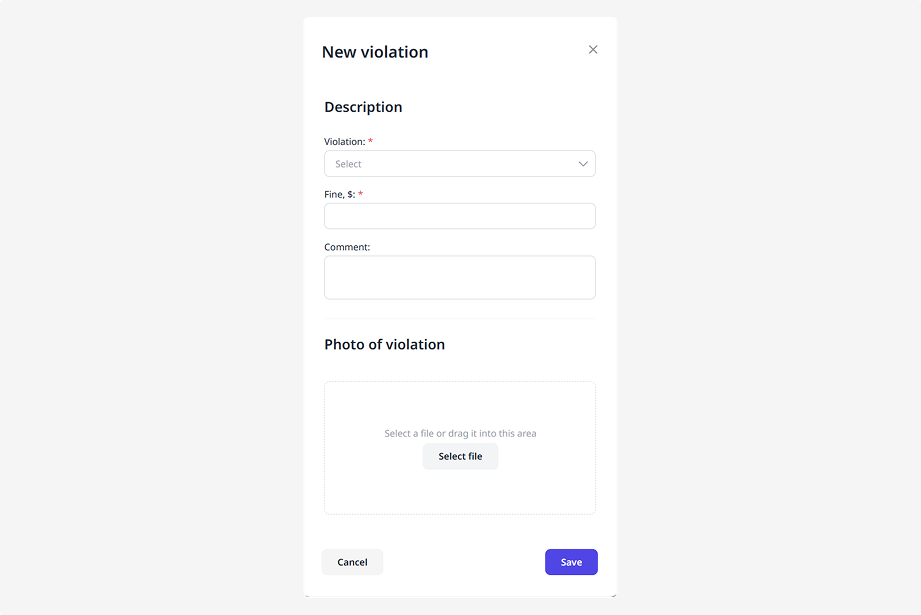
3. The system will automatically fill in the violation name and fine amount
4. Attach a photo confirming the violation
5. Click Save
Calculation
This block displays the final calculation details:
• Payment types (for example: deposit, violation fines, change of return location)
• Deposit deductions — the amount to be withheld from the deposit
• Refund amount — how much should be returned to the customer
How to complete the vehicle drop-off
Once the vehicle is returned and all details are filled in:
-
Click Confirm drop-off
2. After that, the booking will be marked as Completed