
Extras
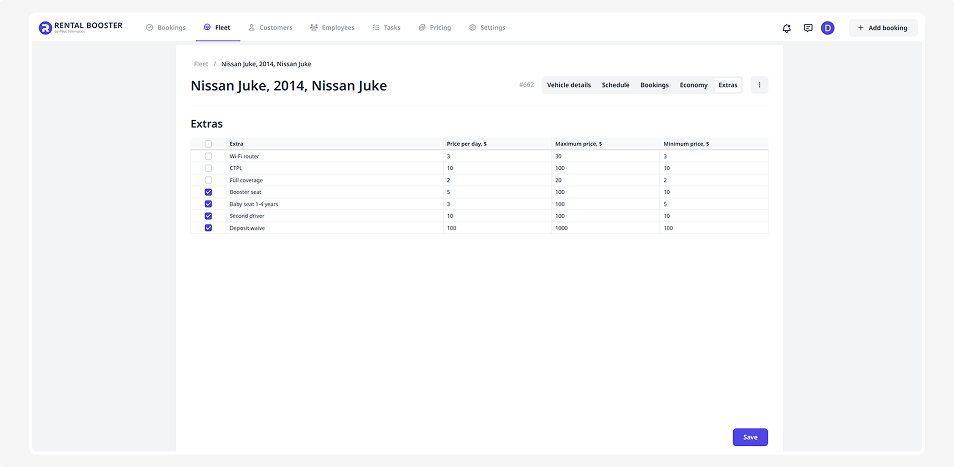
In the Extras tab, you can add optional services that will be available to customers when renting a specific vehicle.
Examples include a child seat, Wi-Fi router, insurance, or an additional driver.
How to set up extras
Before extras become available during booking, they must first be set up:
1. Go to Pricing → Extras
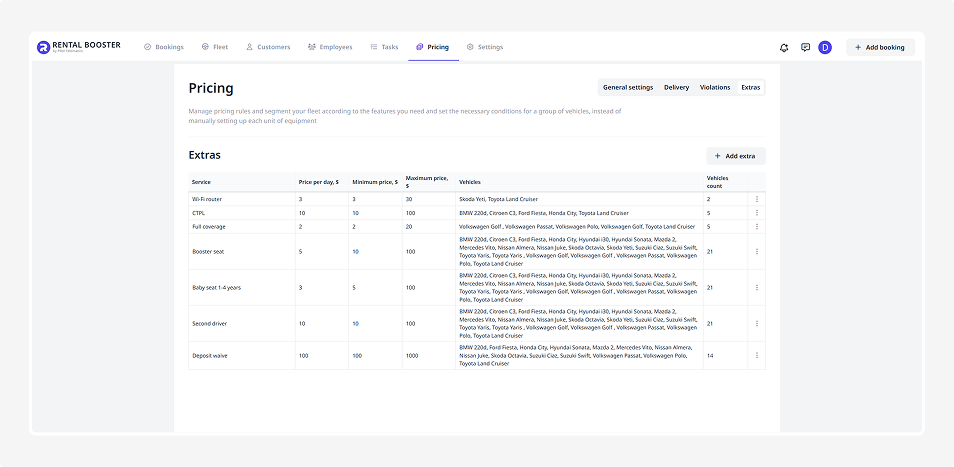
2. Click Add extra. A form will open where you can specify:
-
Name — for example, Child seat
-
Daily price — how much the extra will cost per rental day
-
Minimum and maximum price
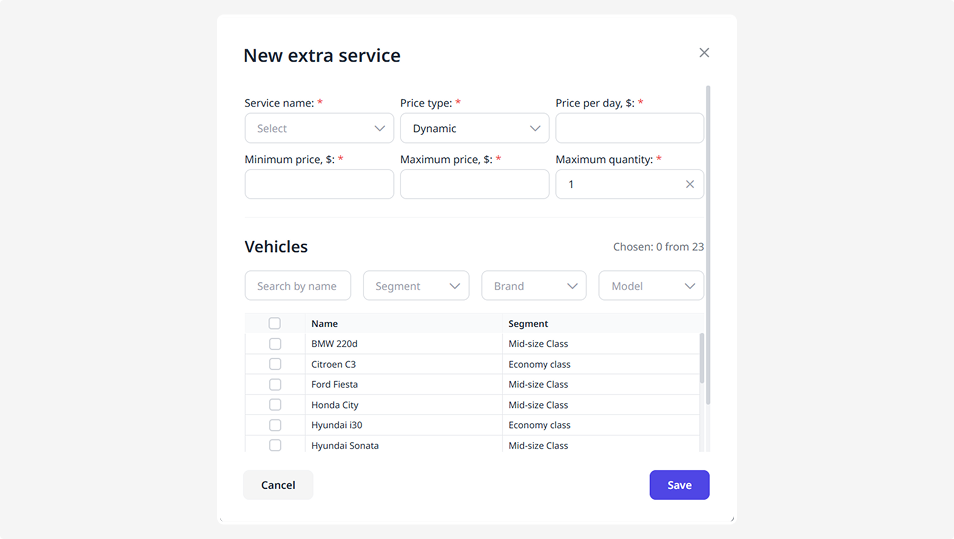
3. Select which vehicles or segments this extra can be applied to
4. After completing the form, click Save
The extra will appear in the general list and become available for connection on the vehicle page.
How to add extras from the vehicle page
Once extras are set up in the Pricing section, you can assign them to individual vehicles:
1. Open the page of the vehicle you want to add extras to
2. Go to the Extras tab. You’ll see a list of all available extras configured for this vehicle
3. Select the necessary extras — check the boxes next to the ones you want to include
4. Click Save at the bottom of the page
The selected extras will now be available to customers when booking this vehicle.