
Economy
In the Economy tab, you can set financial parameters for a specific vehicle.
These settings affect the rental cost, contract terms, and calculations during bookings.
Here you can:
— define how the rental cost is calculated
— manage pricing based on rental duration and season
— set mileage limits and cost per extra kilometer
— set the deposit amount and damage coverage terms
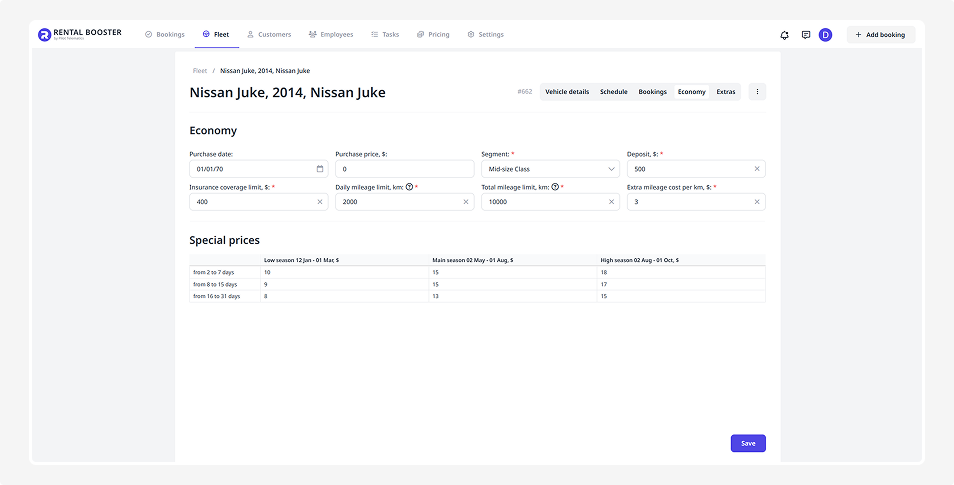
Economy
This block contains the main rental conditions used for calculations.
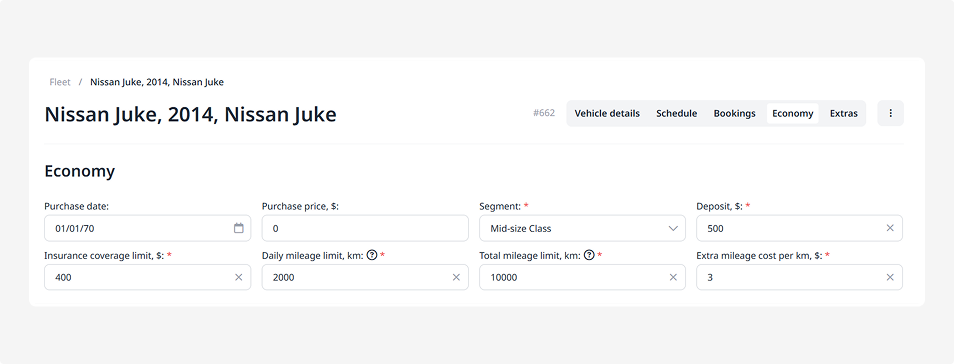
• Purchase date — when the vehicle was bought
• Purchase price — how much the vehicle cost
• Segment — the vehicle’s category (for example, Economy, Luxury). Segments are configured separately under Pricing → General settings
• Deposit — the security amount the customer pays when renting. It’s refunded if the rental is completed without violations
• Insurance coverage amount — the customer’s share of expenses if the vehicle is damaged
• Daily mileage limit — how many kilometers can be driven per day without extra charges
• Total mileage limit per rental — the maximum distance allowed for the entire rental period
• Cost per extra kilometer — how much the customer pays for each kilometer beyond the limit
Special prices
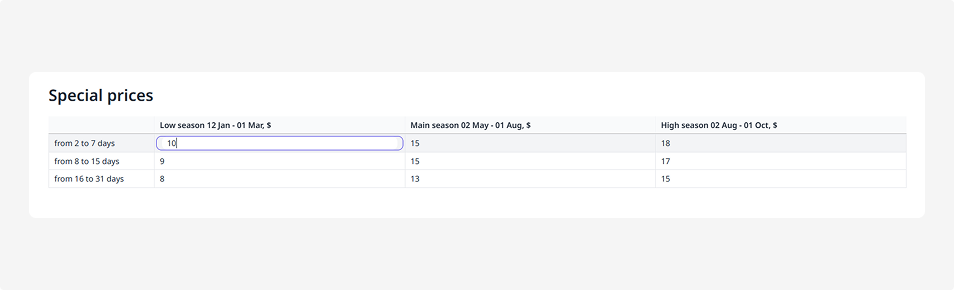
Here you can set rental prices depending on season and rental duration.
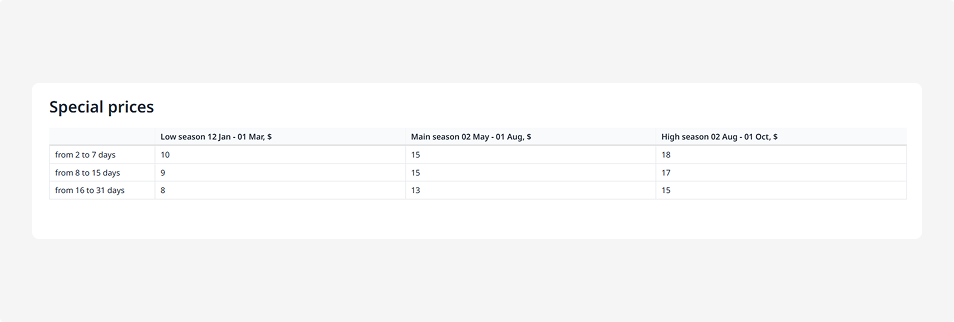
Where prices come from
The prices in this table are loaded automatically — they come from the vehicle’s segment settings.
To set up or adjust prices:
1. Go to Pricing → General settings
2. Find the required segment
3. Make sure the segment, seasons, and rental duration ranges are added
4. Specify prices by rental duration and season
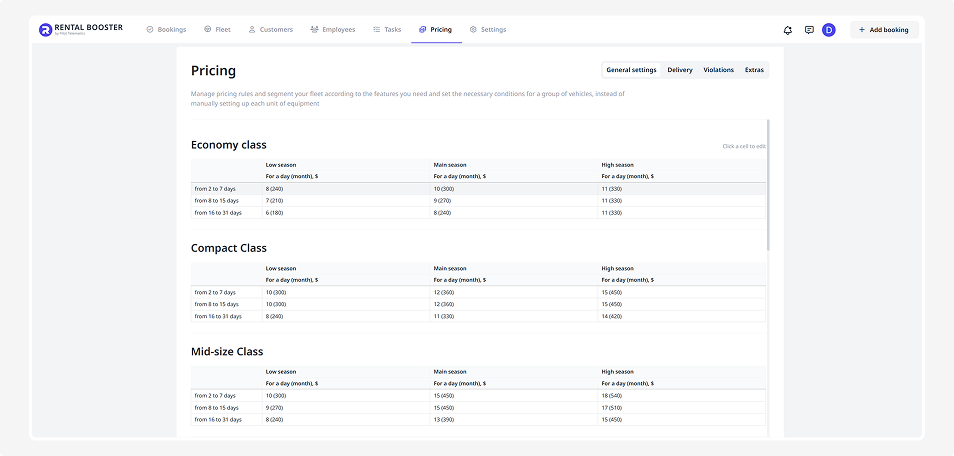
After that, the system will automatically apply the correct prices when selecting a vehicle from a corresponding segment.
How to edit a price
If you need to change a value in the special prices table:
1. Click on the price you want to edit
2. Enter the new price
3. Press Enter — the change will be saved
When all updates in the Economy tab are complete, scroll down and click Save.