How to work with vehicle information
The system provides two ways to view and edit vehicle information — the vehicle card and the vehicle page.
Vehicle card
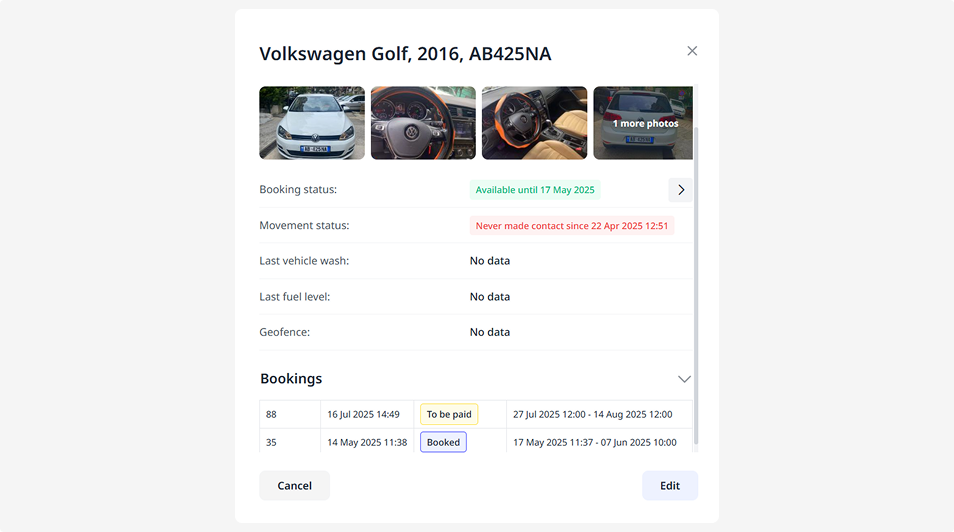
Use this view when you need to quickly check key information about a vehicle:
— view its current status
— check active bookings
— see its current location
— find out the date of the last wash
— view the current fuel level
The vehicle card opens when you double-click on a vehicle in the list.
Vehicle page
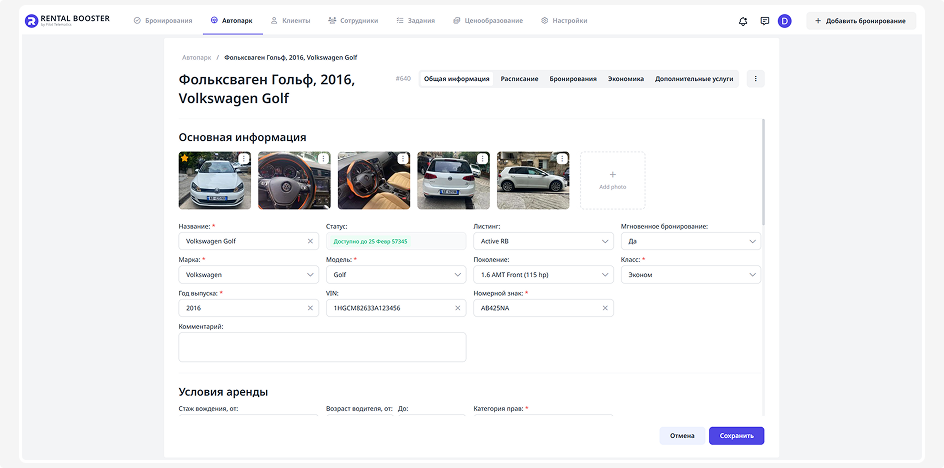
Use this view when you need to add or update detailed information about a vehicle:
— edit vehicle details
— upload documents
— change rental conditions
— connect available extras
The vehicle page opens when you click Edit in the vehicle card.