
How to save a voucher
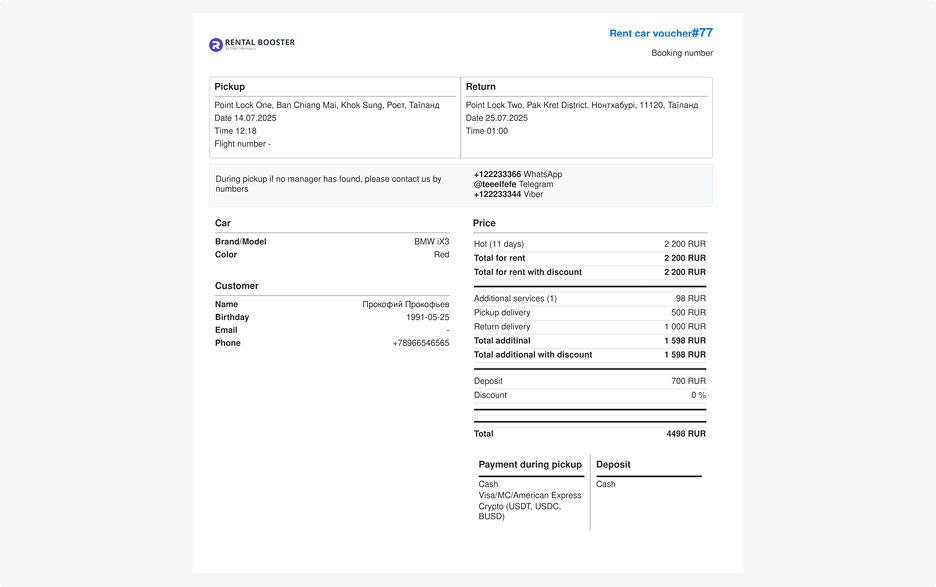
You can download a voucher — an official document that confirms the booking has been created.
This document can be sent to the customer or presented during the vehicle handover.
The voucher includes:
• Booking number
• Pick-up and drop-off addresses and times
• Rental dates
• Vehicle information
• Customer and rental company contact details
• Payment and service details
How to save a voucher:
1. Open the required booking
2. Click the three dots in the top-right corner of the page — the actions menu will open
3. Select Download voucher
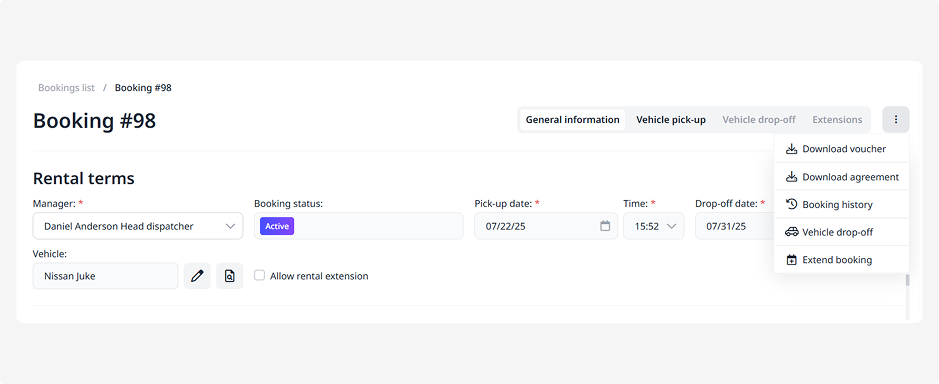
The voucher will be downloaded as a PDF file — you can print it or send it by email.