Extensions
When you complete a booking extension, the information is saved in the Extensions tab on the booking page.
Here you can view the full history of extensions for this booking. If the renter extended the rental multiple times, all extensions will appear in chronological order.
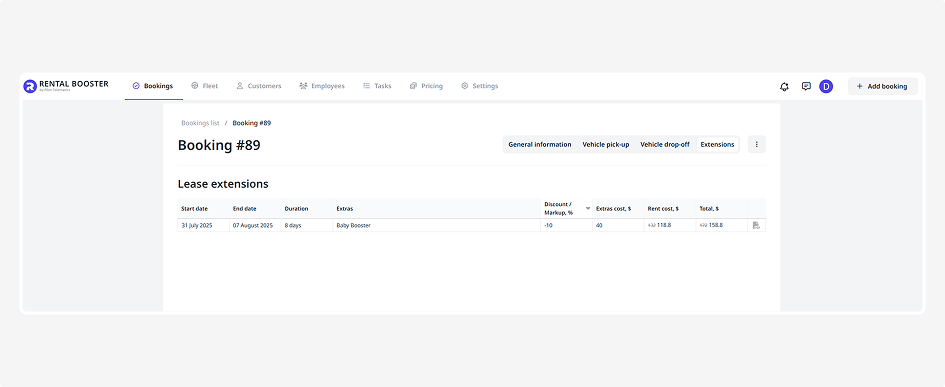
For each extension, the following details are displayed:
• Rental period — the start and end dates of the extended period
• Duration — number of days added
• Extras and their cost — for example, additional driver, child seat, insurance
• Discount or markup, if applicable
• Total amount — rental cost for the extended period
• PDF icon — click it to download the updated agreement reflecting the extension