
Yango Drive
Yango Drive is a car rental service within the Yango ecosystem. Customers can rent vehicles for short-term or long-term use, including contactless vehicle pickup.
Connect the Yango Drive integration to automatically receive bookings and rental agreements from Yango in Rental Booster.
How to connect Yango Drive
1. Open the Integrations section

2. Find the Yango integration card and click Connect
3. In the Connect to Yango window, enter the username and password for your company's Yango Drive account

4. Click Connect
Use the credentials of a user who has access to your company's Yango Drive account. This can be the company owner or an employee responsible for managing the account.
Once connected, Rental Booster will verify the credentials and start the synchronization. Bookings and their associated rental agreements from Yango will then be imported into the system automatically.
Working with Yango bookings
Bookings received through the integration appear in the main Bookings list in Rental Booster.
In the Source column, these bookings are marked as: YANGO

The statuses of bookings imported from Yango are automatically mapped to the corresponding Rental Booster statuses. As a result, they are displayed using the same status workflow as other bookings in Rental Booster.

If booking information is updated in Yango, the changes will be synchronized with Rental Booster during the next synchronization cycle.
Yango Drive pricing
After the integration is connected, a Yango Drive tab appears in the Integrations section.
In this tab, you can manage the rental prices used in Yango Drive. Any saved price changes are automatically sent to Yango.

Yango Drive uses its own pricing model, which differs from the Rental Booster pricing system. For this reason, prices and rental duration ranges for the integration are configured separately.
|
Rental price table
The table displays all vehicles available through Yango Drive.
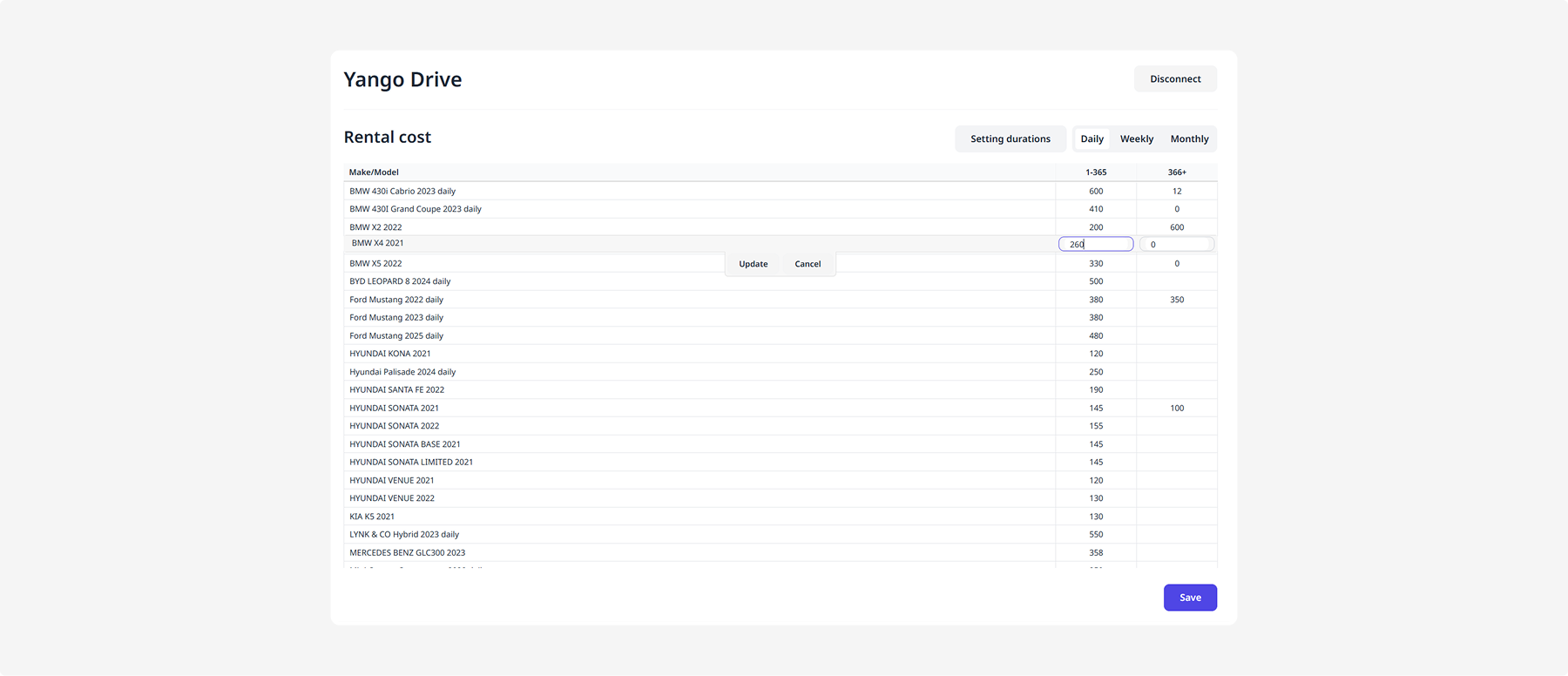
For each vehicle, you can set rental prices for different billing periods:
-
Daily
-
Weekly
-
Monthly
To change a price:
1. Select the Daily, Weekly, or Monthly tab
2. Find the required vehicle
3. Enter the new price in the corresponding field
4. Click Save next to the updated value, or click Save at the bottom of the page.
After saving, the new price will be used in Yango Drive.
Duration range settings
For each rental type, you can configure the duration ranges used in Yango Drive.
These settings determine which rental periods use different prices. For example, you can set one price for rentals from 1 to 365 days and another price for rentals of 366 days or more.
To configure the duration ranges:
1. Select a rental type:
-
Daily
-
Weekly
-
Monthly

2. Click Settings duration

The settings window opens.
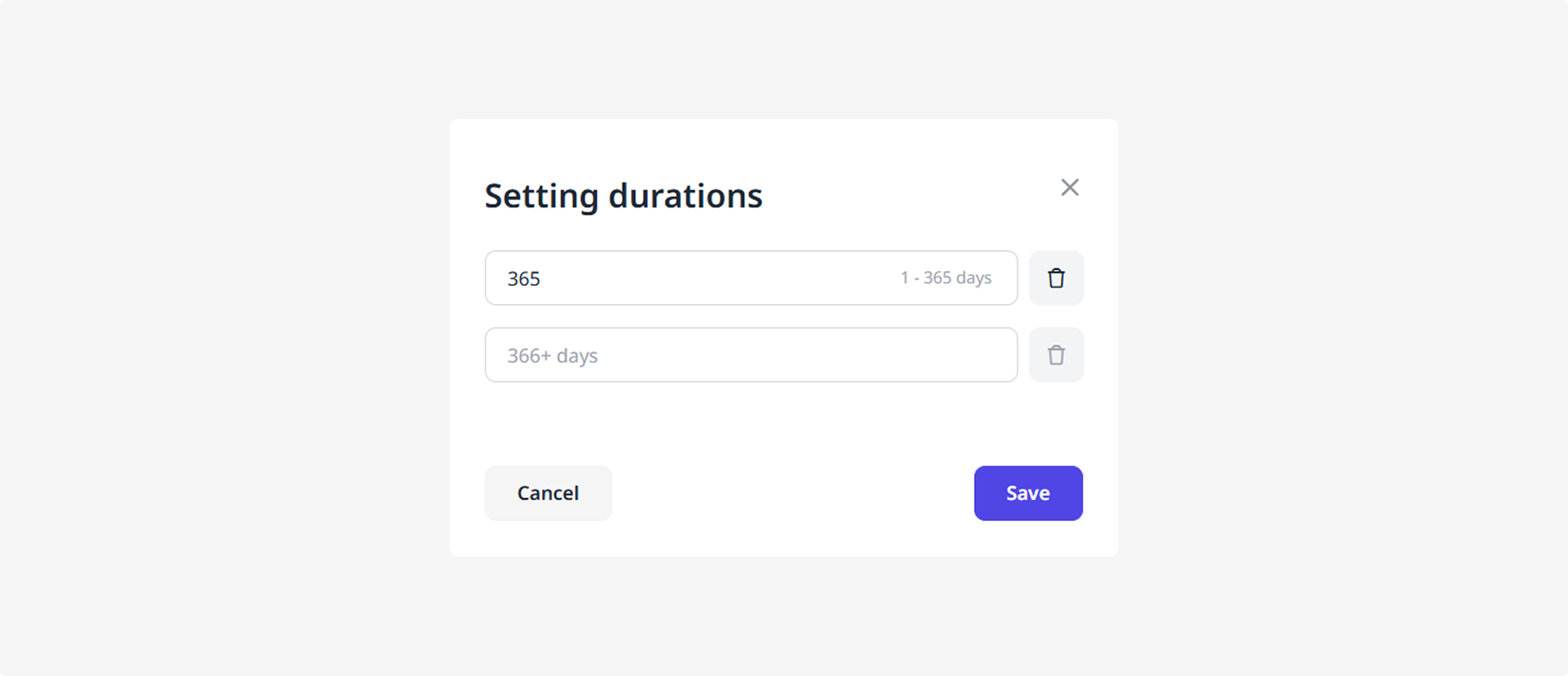
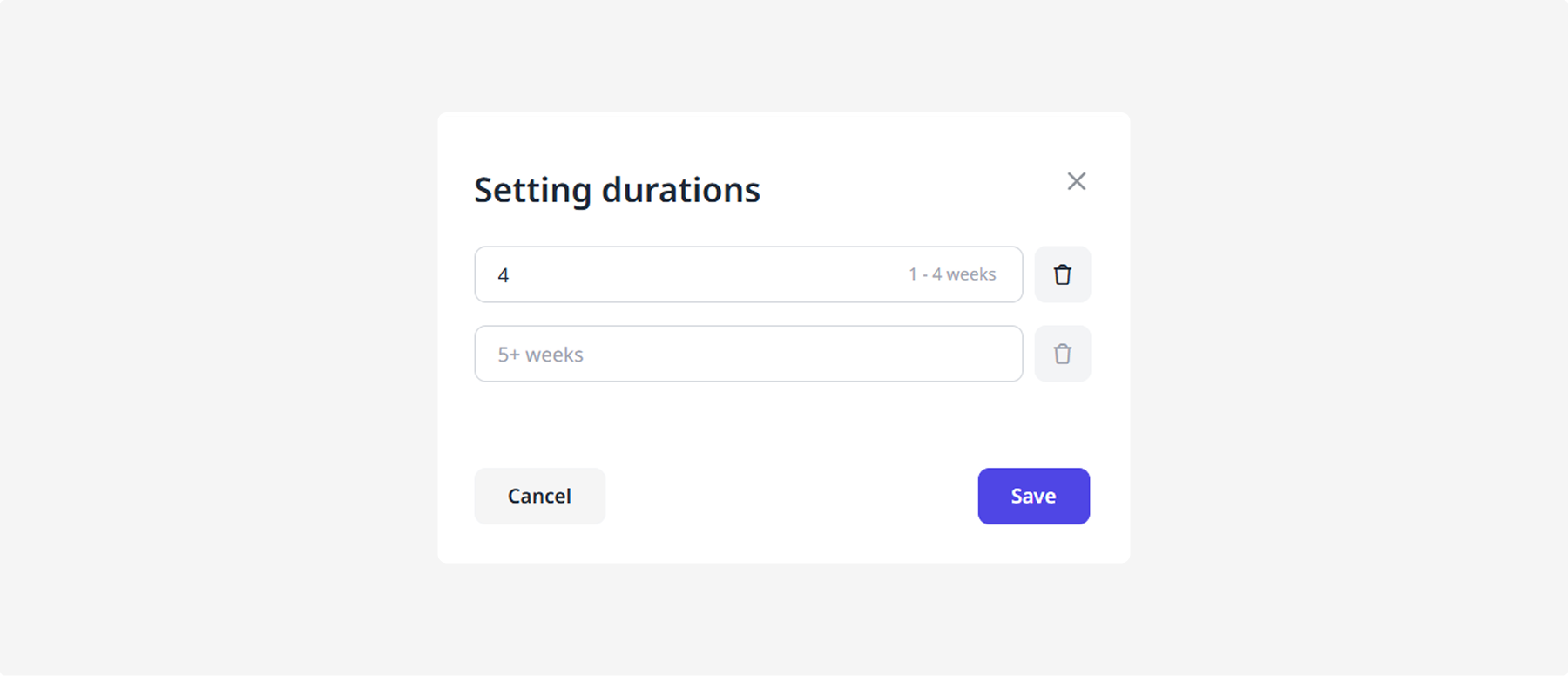
In the top field, enter the maximum duration for the first range.
The following ranges are used by default:
Daily rentals
-
1–365 days
-
366 days or more
Weekly rentals
-
1–4 weeks
-
5 weeks or more
Monthly rentals
-
1–12 months
-
13 months or more

Change the values if needed, then click Save.
After saving, the new ranges will be used to calculate rental prices in Yango Drive.
How to disconnect the integration
To disconnect Yango Drive:
1. Open the Integrations section and go to the Yango Drive tab
2. Click Disconnect in the upper-right corner of the page
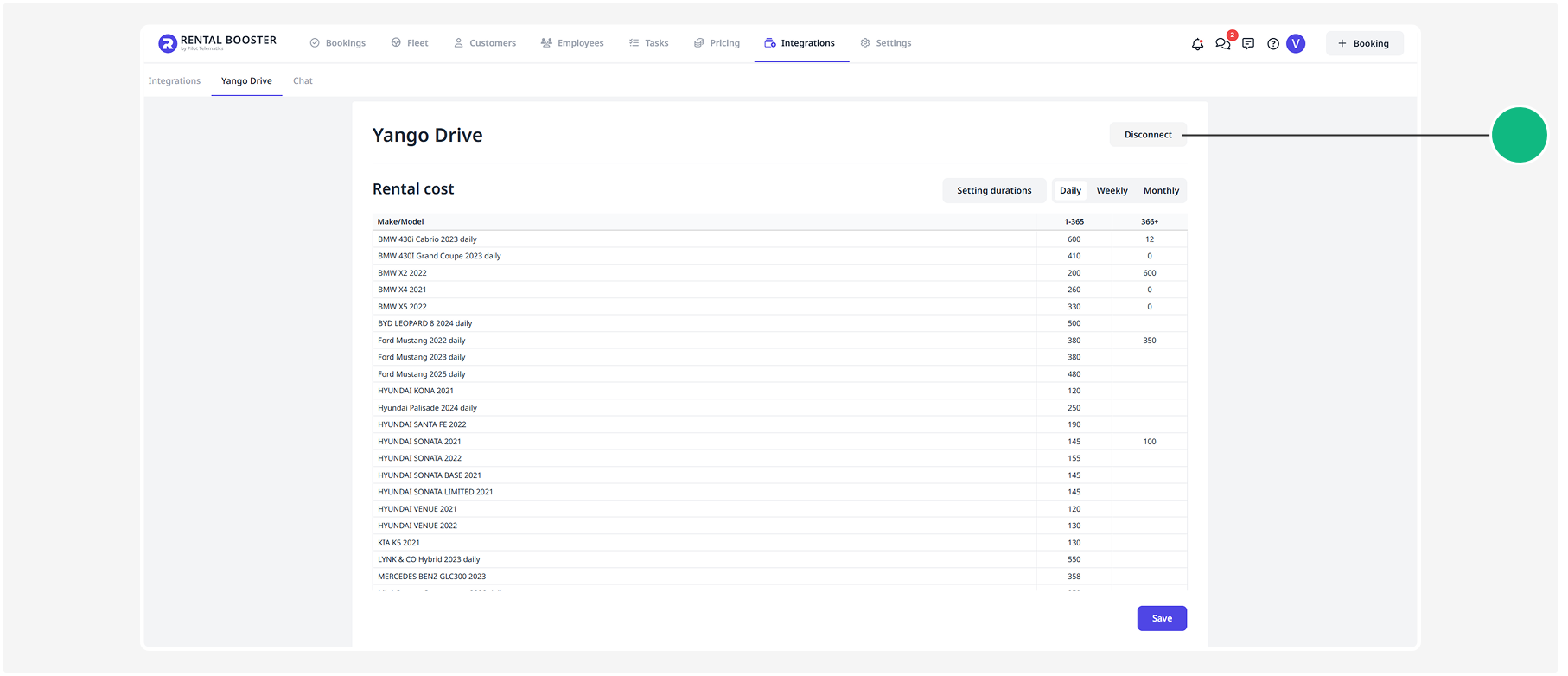
After the integration is disconnected, data exchange between Rental Booster and Yango Drive will stop. New bookings from Yango Drive will no longer appear in Rental Booster.