Vehicle details
Here you can fill in the details for a new vehicle in your fleet or update information for an existing one.
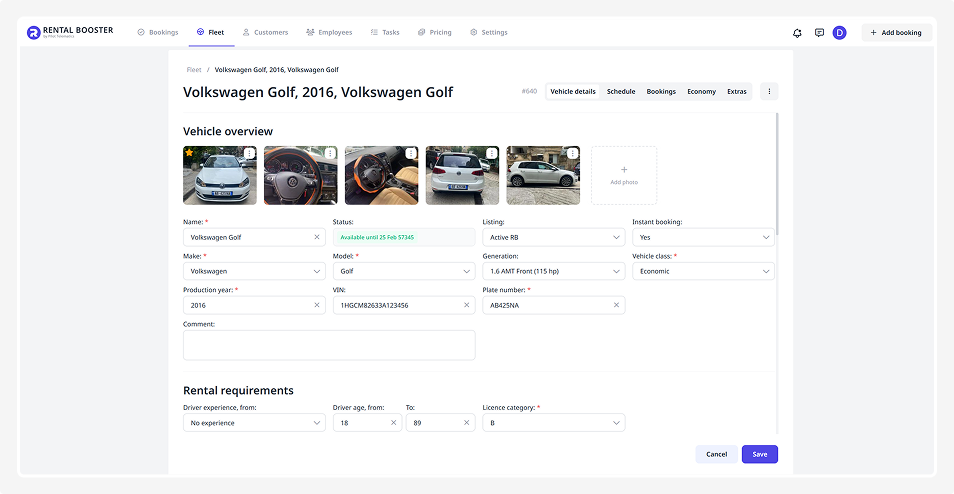
All information is divided into several blocks:
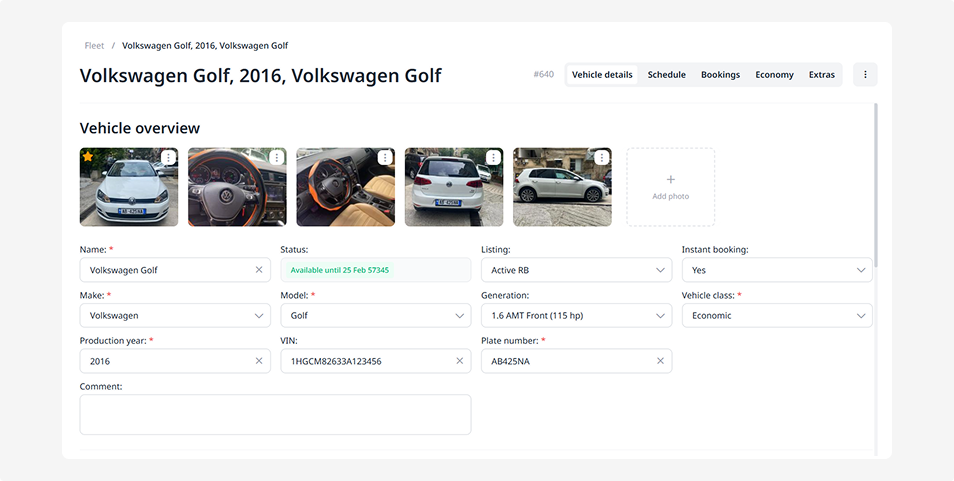
Here you enter the main details about the vehicle:
• Vehicle name — how it will appear in the system, for example: “Kia Rio 2022” or “Toyota Highlander”
• Vehicle type — select from the list: car, truck, bus, motorcycle, personal transport, special equipment, or other type
• Make, model, production year, and plate number
• Class — choose a category from the dropdown list, such as Economy, Compact, Luxury
Additionally, you can:
— add photos — click the plus icon to upload images to the vehicle gallery
— view the current status — shows whether the vehicle is available or booked. This field is updated automatically by the system and should not be edited manually
— enable or disable listing — when listing is active, the vehicle is visible to customers and available for booking on the website. When inactive, it’s hidden from public view
— enable instant booking — allows customers to book the vehicle immediately, without manual confirmation
— enter VIN and model generation
— add a comment — note any important details about the vehicle
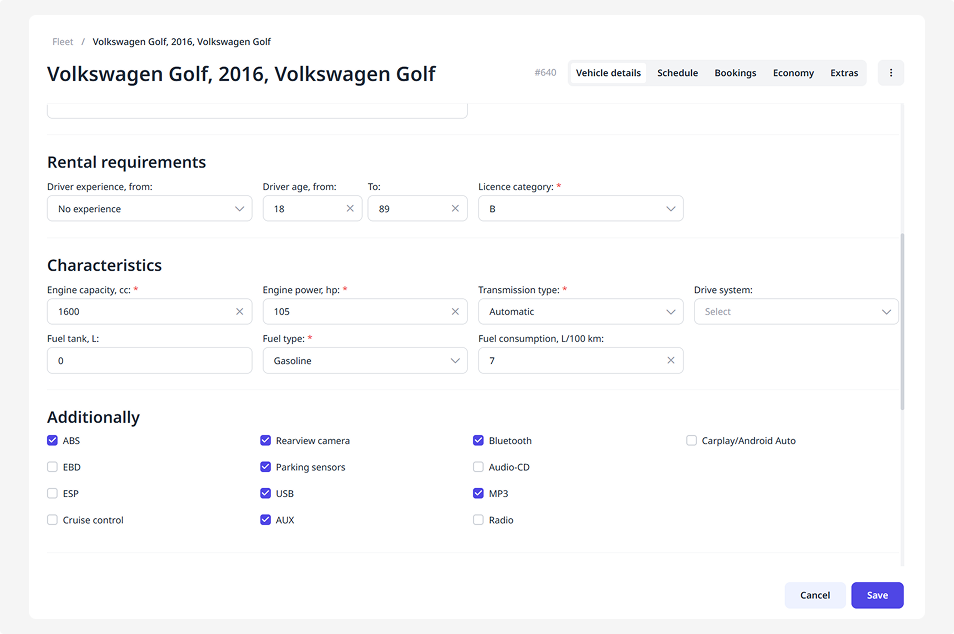
Set up the rules for renters:
• Minimum and maximum driver age
• Minimum driving experience
• Driver’s license category required for this vehicle
Provide the vehicle’s technical parameters:
• Engine capacity (liters)
• Horsepower (hp)
• Fuel consumption (L/100 km)
• Tank capacity (L)
• Fuel type — petrol, diesel, hybrid, electric, or other
• Transmission — manual, automatic, or semi-automatic
• Drive type — front, rear, all-wheel, or permanent all-wheel drive
Mark which extra features the vehicle includes:
• Safety systems — ABS, EBD, ESP
• Cruise control
• Rear-view camera, parking sensors
• Audio and connectivity — USB, AUX, Bluetooth, CD/MP3, Radio, CarPlay/Android Auto
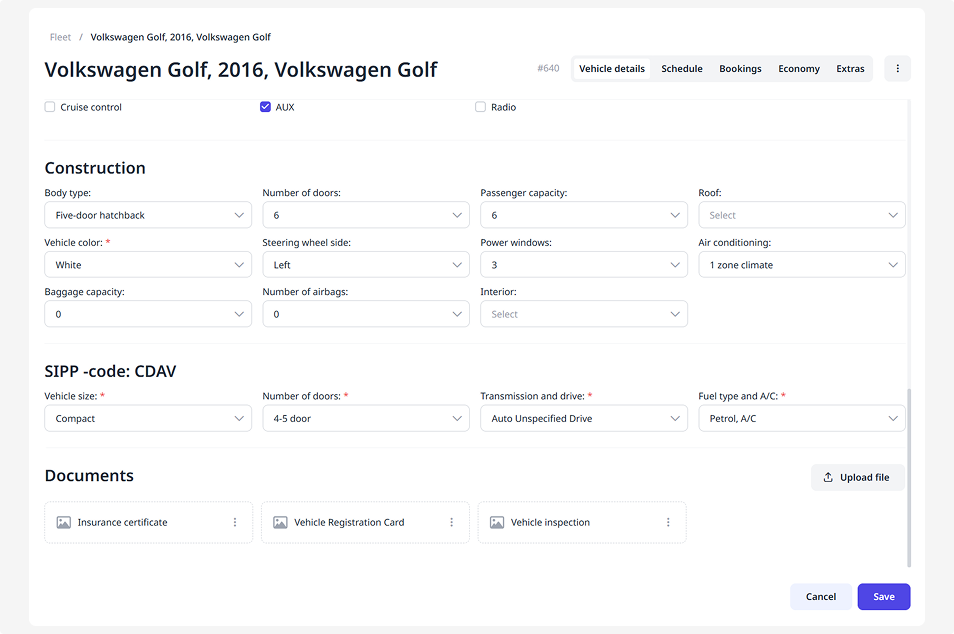
You can select and specify vehicle parameters to better describe its appearance and configuration:
• Body type — hatchback, sedan, wagon, crossover, pickup, or other
• Number of doors
• Number of passengers
• Roof type — standard, sunroof, cabriolet
• Body color
• Steering position
• Power windows
• Air conditioning type
• Number of airbags and baggage compartments
• Interior type — fabric, leather, sport, or sport-leather
SIPP is an international code that describes vehicle characteristics using four letters.
Select the parameters of the SIPP code, and the system will automatically generate the correct code:
• Vehicle size
• Number of doors
• Transmission and drive type
• Fuel type and presence of air conditioning
For example: HDNV — a compact car with an upgraded configuration compared to the base economy class, 4/5 doors, manual transmission, all-wheel drive, petrol, and air conditioning.
In the Documents block, upload the files needed when adding a vehicle.
By default, the system includes a form for the vehicle registration certificate — you just need to attach the file.
How to add a document:
1. Click the three dots next to the necessary form
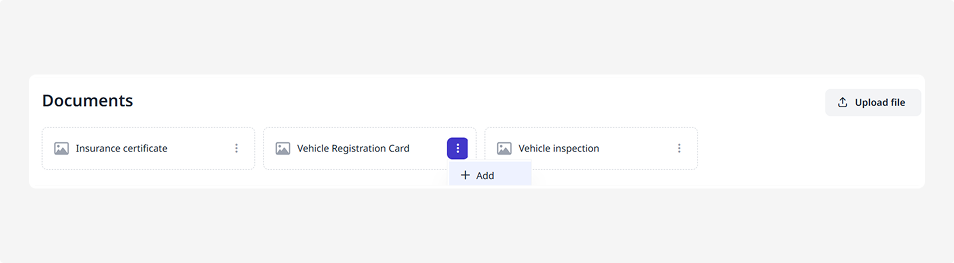
2. Select Add
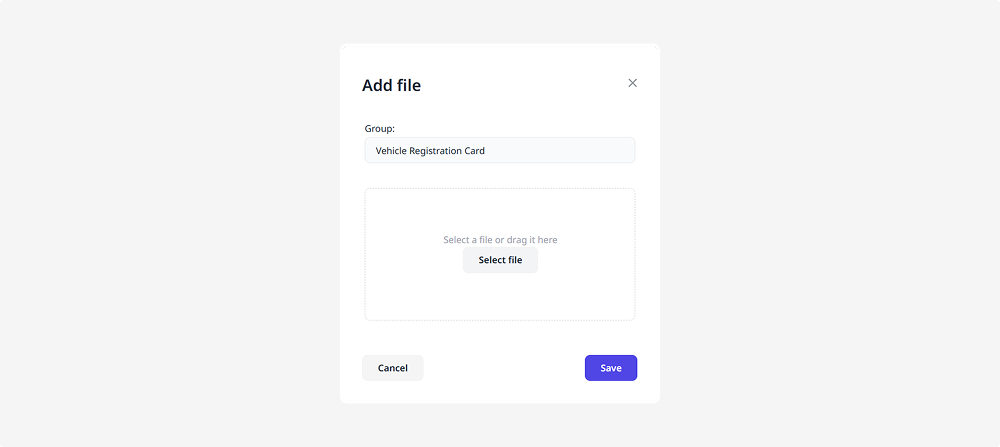
3. Upload the file and click Save
If the required document type isn’t listed, there are two ways to proceed:
— add a new document type to the general package through Booking settings. After that, it will appear in all future forms
— upload a document only for this specific vehicle: click Upload file, enter the document name, and click Save
When all fields are completed, scroll down and click Save. The vehicle will be added and appear in your Fleet list.