Vehicle card
The vehicle card is a compact yet informative way to view the main details of a specific vehicle.
To open the card, double-click on a vehicle in the Fleet list.
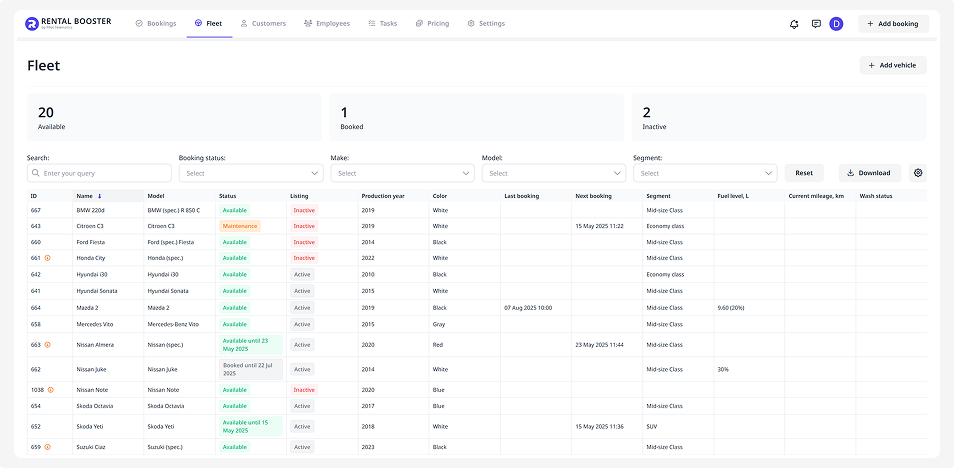
In the card, you’ll find:
— vehicle name and year of manufacture
— photo gallery
— booking status
— movement status
— time of last wash
— current fuel level
— list of recent bookings
If the vehicle is connected to a monitoring system, the vehicle card may also display additional information, such as the vehicle's current location on the map, geofence, sensor data, mileage, and other information received from the installed monitoring equipment.
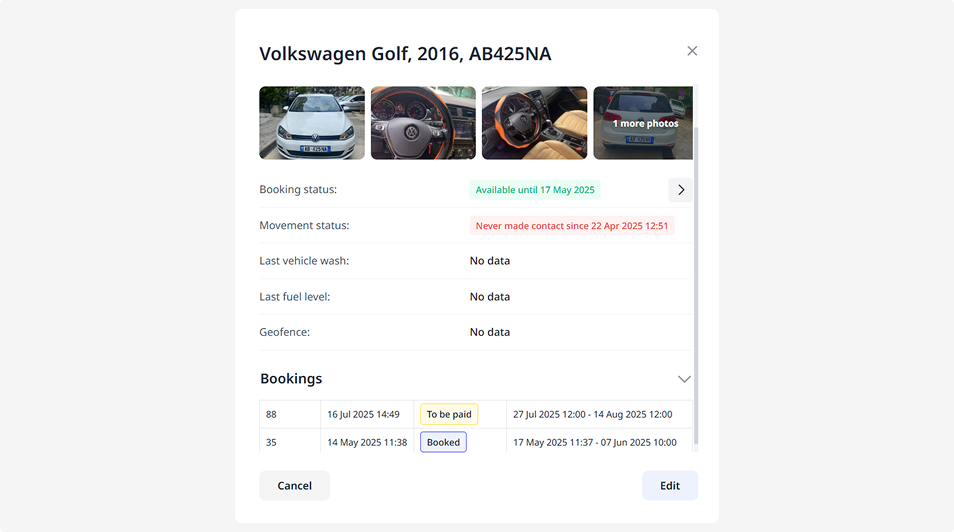
At the bottom of the card, there are two buttons:
• Edit — opens the vehicle page, where you can update vehicle information, adjust pricing and extras, and view the booking list and calendar
• Cancel — returns you to the list