Schedule
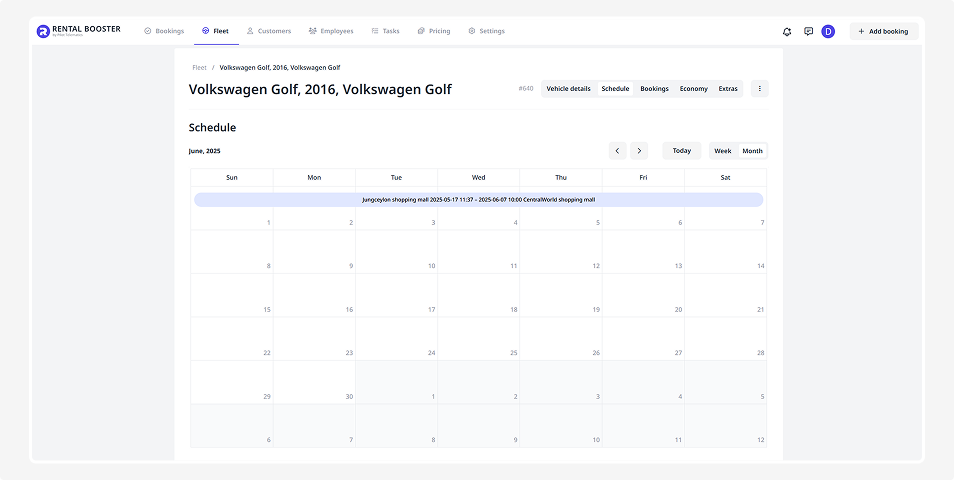
In the Schedule tab, you can see all bookings for a specific vehicle displayed as a calendar.
This helps you easily understand when the vehicle is available or booked.
How to work with the schedule
• Check available and booked dates
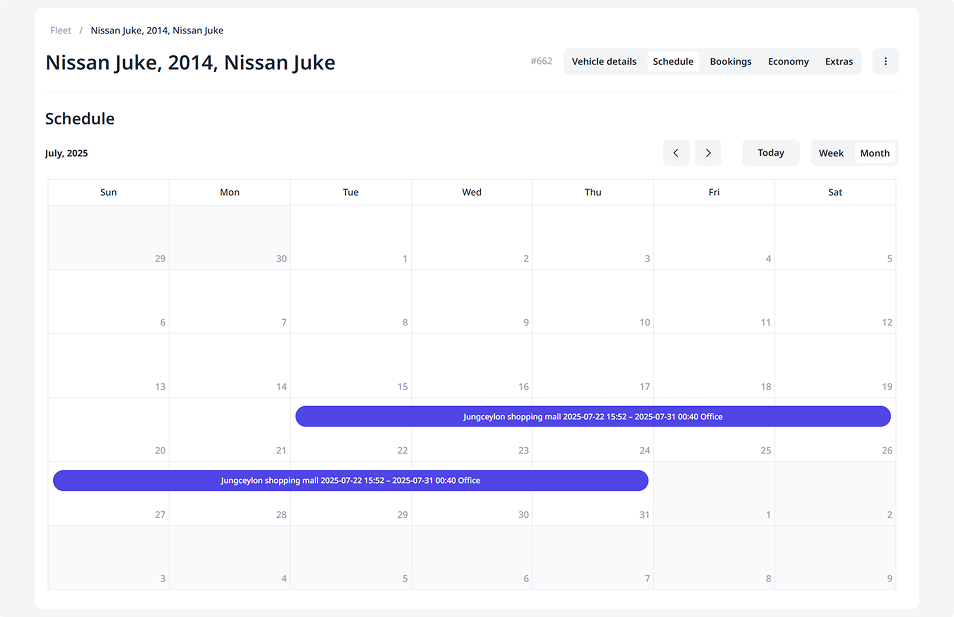
The calendar clearly shows when the vehicle is free and when it’s booked.
White — available days, open for booking
Dark purple — booking is active right now
Light purple — upcoming bookings
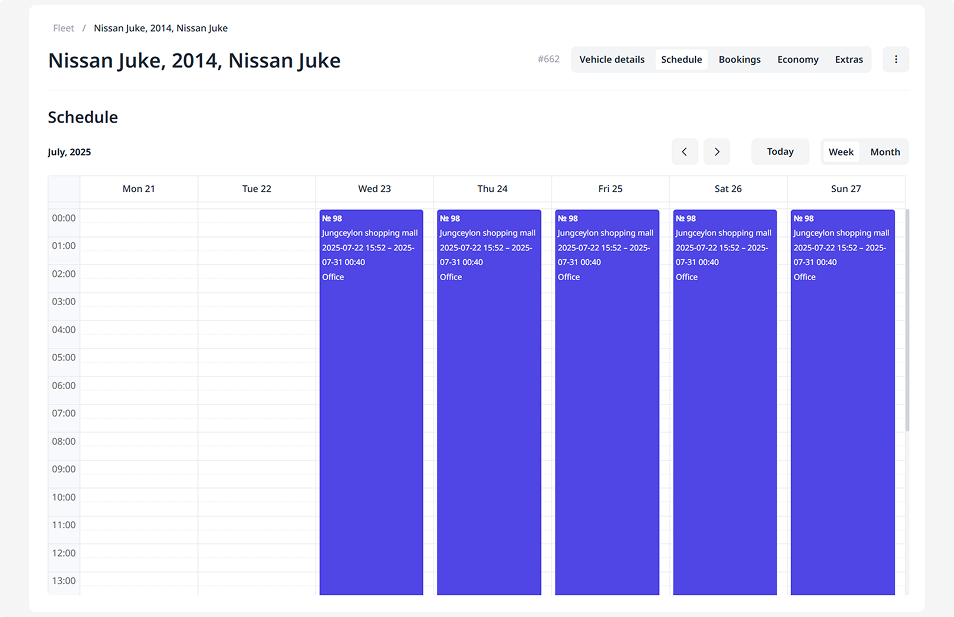
• Choose the preferred calendar view
Week — to see all trips and bookings within the selected week.
Month — to plan ahead and view long-term bookings.
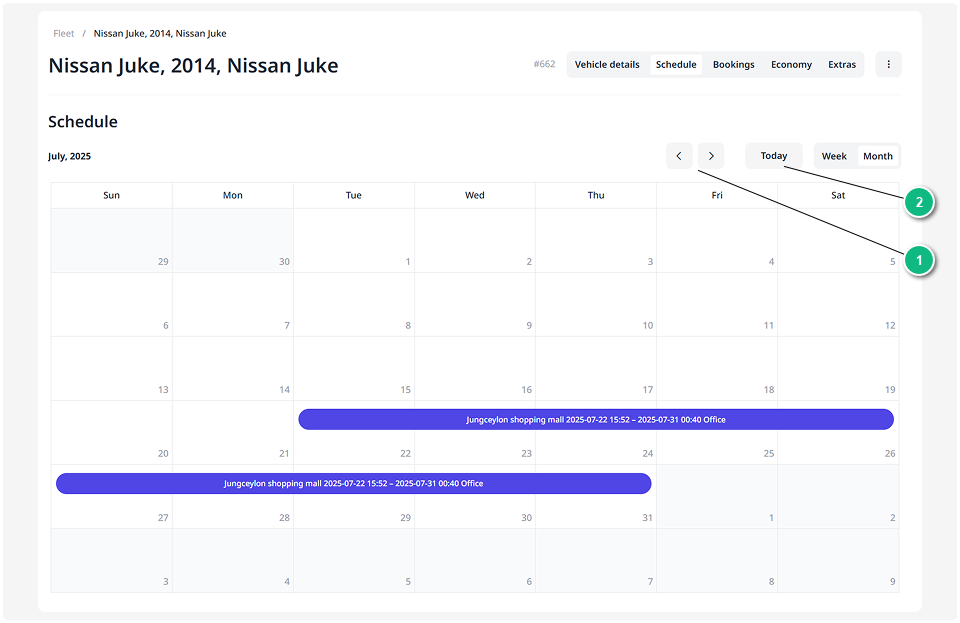
1 — Use the left and right arrows to move between weeks or months
2 — Click Today to return to the current date