How to cancel a booking
Sometimes a booking needs to be canceled — for example, if the customer changes their mind or a technical issue occurs.
You can record the cancellation and process the refund.
How to cancel a booking
1. Open the required booking
2. Click the three dots in the top-right corner of the page
3. Select Cancel booking
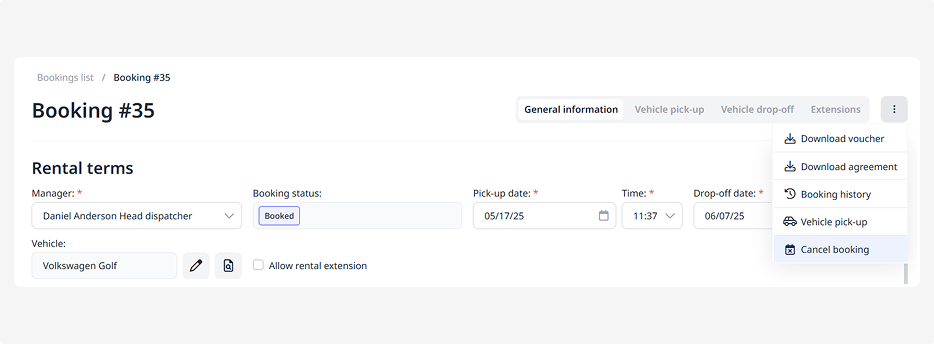
4. In the form that opens, specify the reason for cancellation
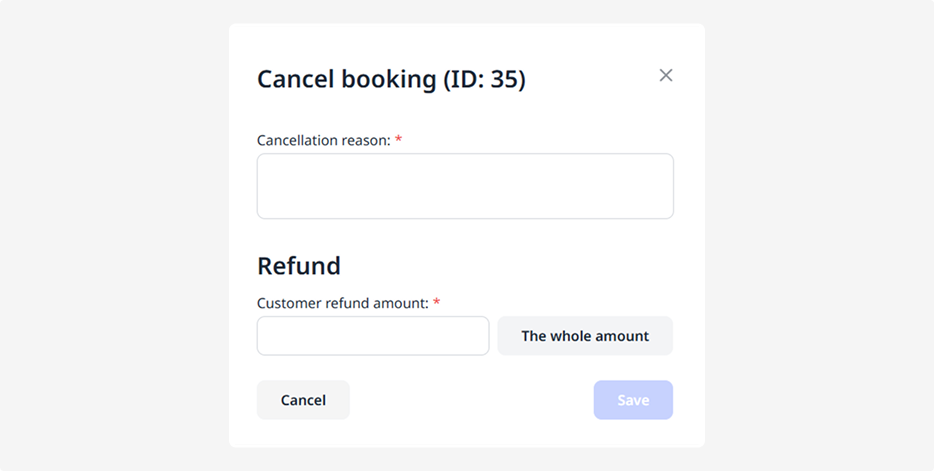
5. Enter the refund amount for the customer, or click The whole amount if the entire sum is being refunded
6. Click Save. The booking will be canceled, and the refund will be processed