
How to add a customer
To start working with a new customer, first enter their details into the system:
1. Click Add customer
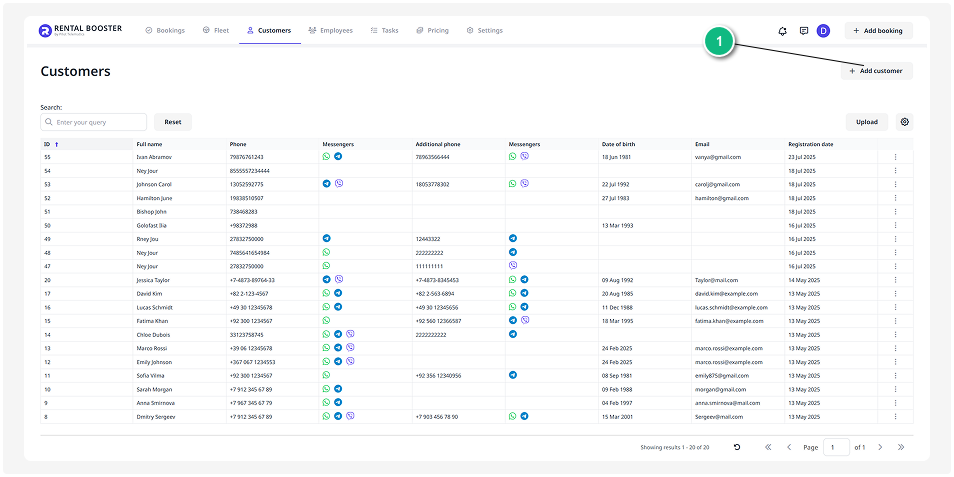
2. A customer card will open — a form where you need to fill in.
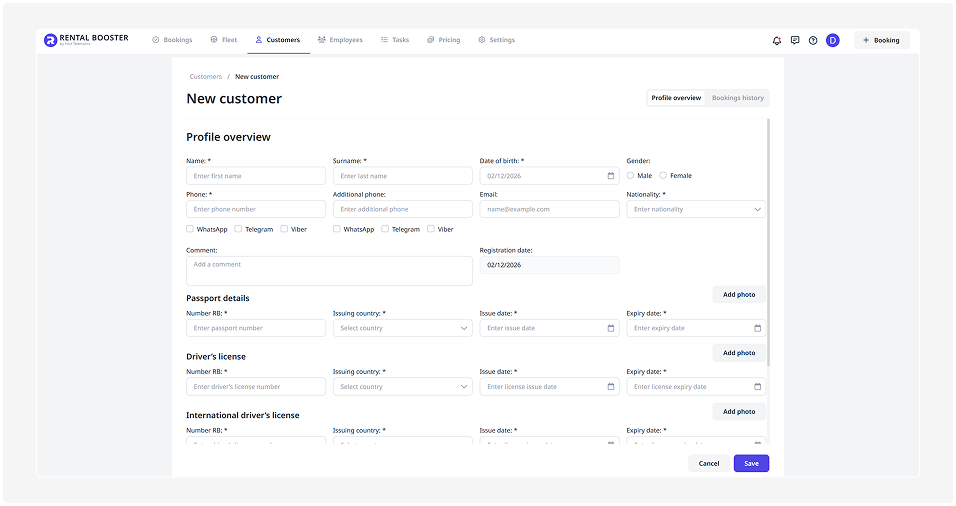
The information required in the customer cards depends on the country selected in the Company section.
For most countries, a standard customer profile is used.
In this case, fill in the basic information:
— first and last name
— date of birth
— gender
— contact details (phone numbers, messengers)
— email
— nationality
If required, provide passport details and driver’s license information.
To upload document photos, click Add photo, select the file, and save it.

If UAE is selected in Company settings, the system provides three customer types:
-
Tourist
-
Resident
-
GCC National
Before entering the data, select the appropriate customer type.
The form will change depending on your selection.
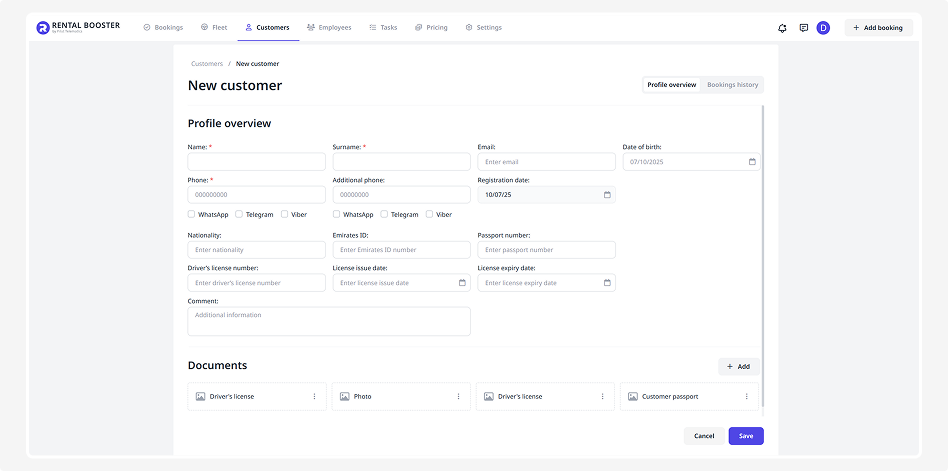
Tourist
For the Tourist type, provide:

-
Basic information: first name, last name, date of birth, gender, contact details (phone numbers, messengers), email, nationality
-
Passport: series and number, issuing country, issue date, expiry date
-
Driver’s license: number, issuing country, issue date, expiry date
-
International driver’s license: number, issuing country, issue date, expiry date
Resident
For a Resident, provide:

-
Basic information: first name, last name, date of birth, gender, contact details (phone numbers, messengers), email, nationality
-
Emirates ID (EID): number and expiry date
-
Passport: series and number, issuing country, issue date, expiry date
-
Driver’s license: number, issuing country, issue date, expiry date
GCC National
For a GCC National, provide:

-
Basic information: first name, last name, date of birth, gender, contact details (phone numbers, messengers), email, nationality
-
National ID: number, issuing country, issue date, expiry date
-
Driver’s license: number, issuing country, issue date, expiry date
In the customer profile, you can attach documents:
1) Click Add in the Documents section

2) Enter a file name and select the document to upload
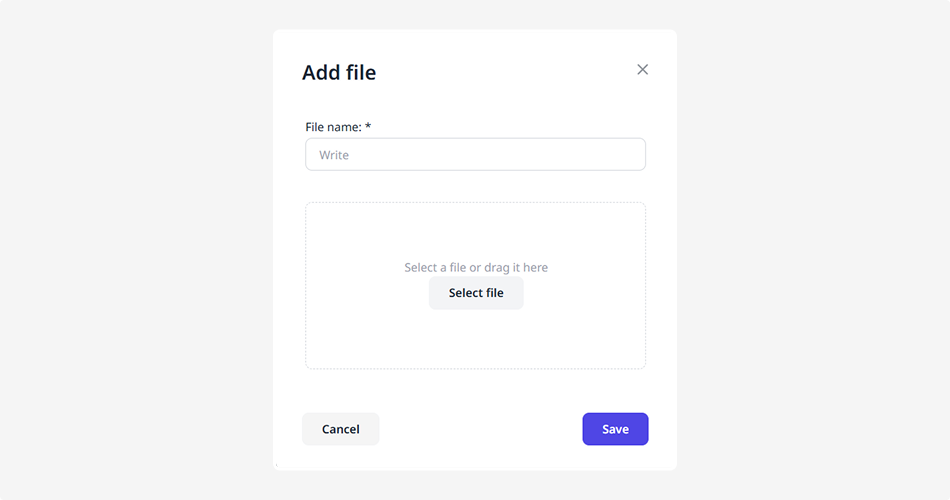
3) Click Save — the file will appear in the customer profile and will be available for viewing
3. In the customer card, click Save.
After saving, the customer will appear in your database and will be available for selection when creating a booking.