General settings
Here you can manage your vehicle rental rates. Set up prices once for a group of vehicles, and the system will automatically apply the correct rate based on the season, rental duration, and vehicle segment.
What you can configure:
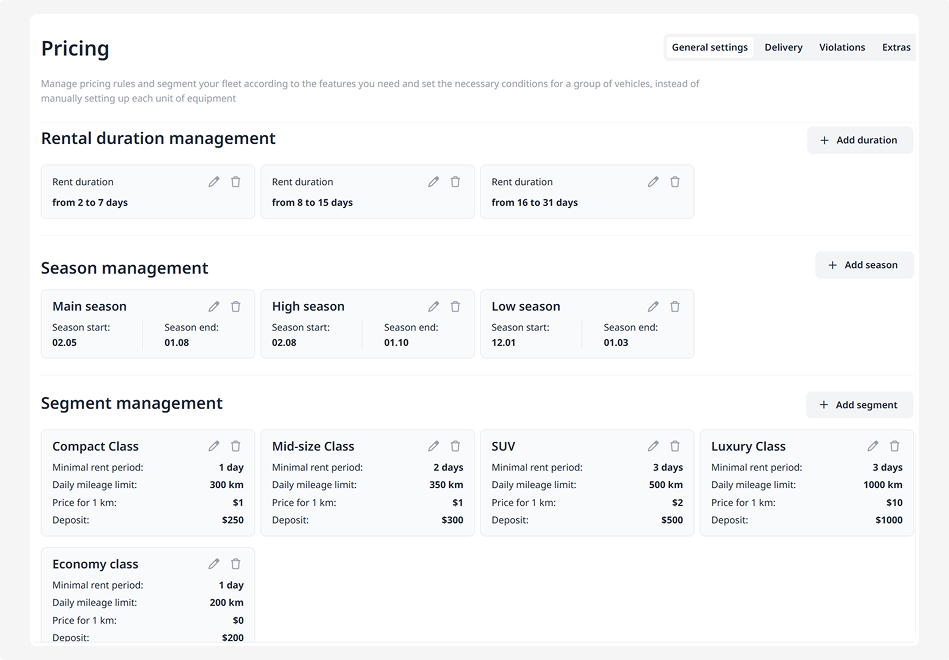
• Rental periods — how long the customer rents the vehicle (for example, 2–7 days or 16–31 days)
• Seasons — such as low, regular, or high season, depending on the dates
• Segments — groups of vehicles with the same rental conditions
Rental periods
Divide rentals into short-term, medium-term, and long-term to set different rates depending on the duration.
How to add a period:
1. In the Rental duration management block, click Add duration
2. Enter the duration range — from and to (for example, from 2 to 7 days). If you want to set an unlimited duration, enter 0 in the “To” field
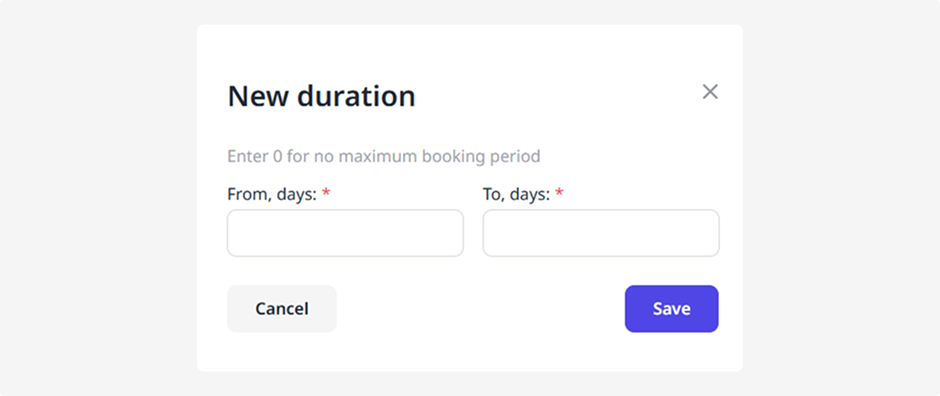
3. Click Save
You can add multiple ranges to cover all needed durations.
Seasons
If your prices vary between high and low seasons, you can define pricing for different times of the year.
How to add a season:
1. In the Season management block, click Add season
2. Enter the season name (for example, High season)
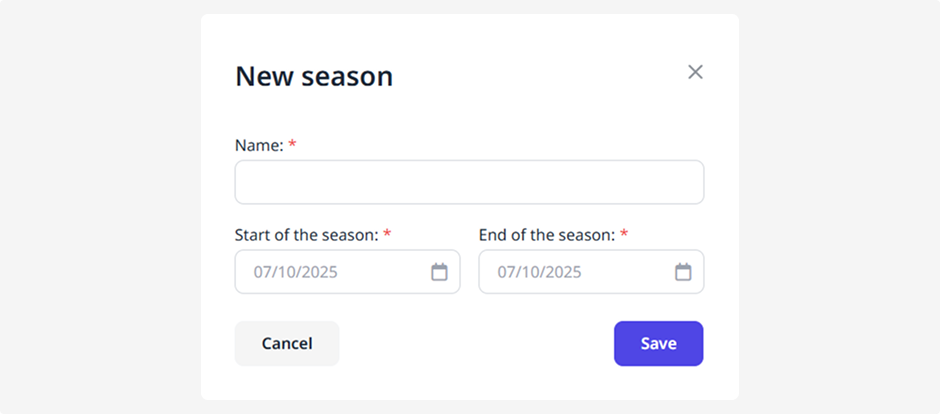
3. Choose start and end dates using the calendar or type them manually
The season must fit within the current year.
4. Click Save
Segments are groups of vehicles that share the same rental conditions.
How to create a segment:
1. In the Segment management block, click Add
2. Fill in the following fields:
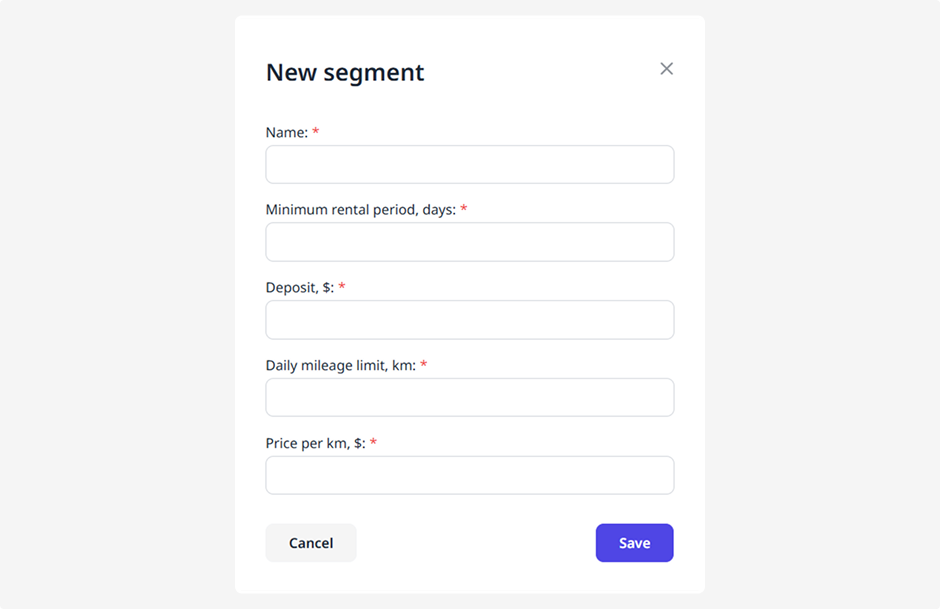
• Segment name (for example, Luxury Class)
• Minimum rental period
• Deposit
• Daily mileage limit
• Price per kilometer
3. Click Save
How to fill in the pricing table
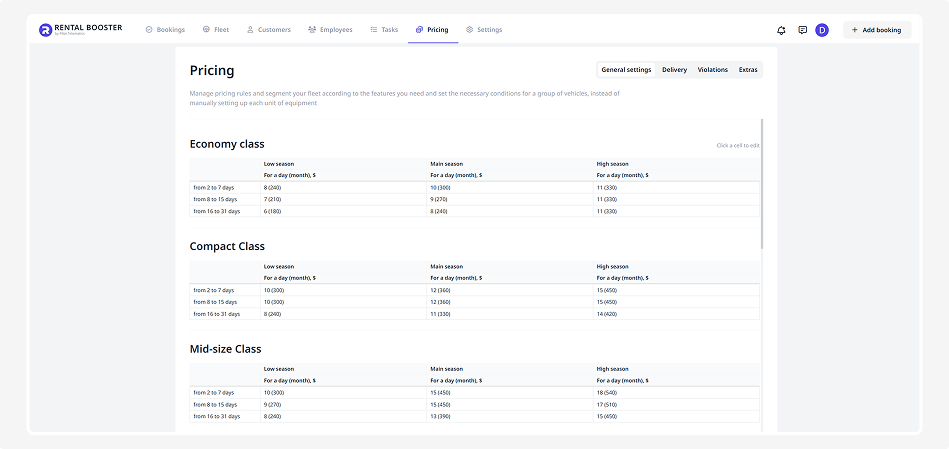
After you create segments, periods, and seasons, the system will automatically generate a pricing table for each segment.
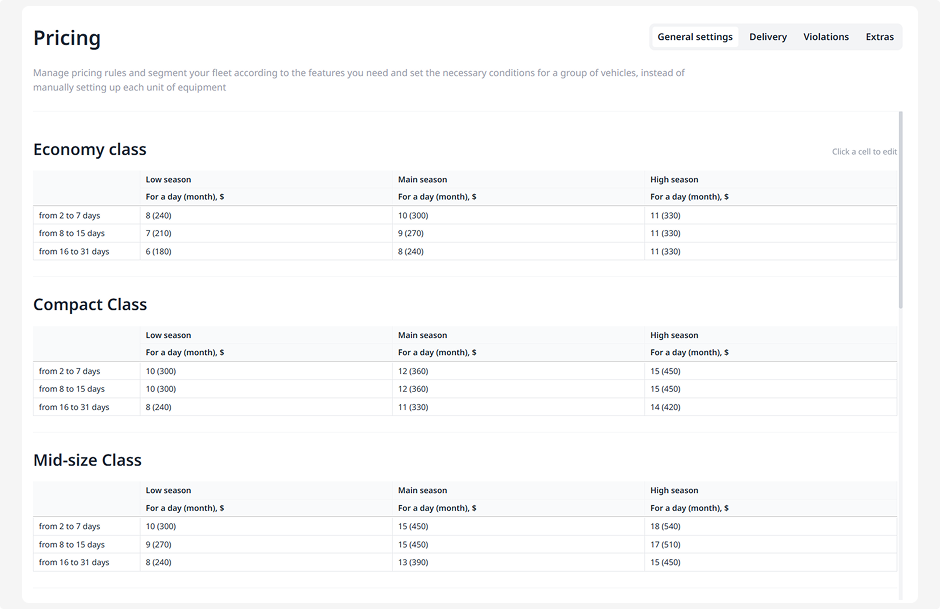
In this table, you set rental prices based on season and duration:
1. Find the table for the required segment
2. Rows represent rental periods, and columns represent seasons
3. Click on a cell and enter the price (for example, 15 $)
4. Press Enter — the price will be saved
The system will now automatically use these values to calculate rental prices.