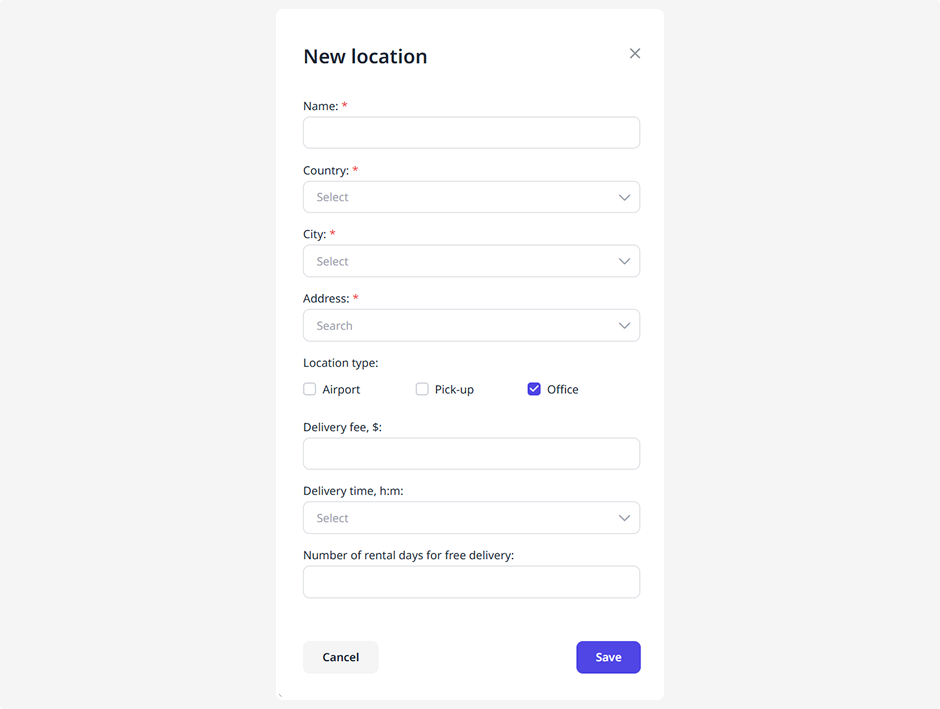
Delivery
In this tab, you can manage the locations where vehicles can be picked up or dropped off.
A location is a geographic area or zone where delivery or return of a vehicle is available.
You can configure delivery points such as airports, offices, or other pick-up and drop-off locations.
Fill in the details for each location so customers clearly understand where they can collect or return a vehicle and what delivery conditions apply.

How to add a new delivery point
1. Click Add location
2. In the pop-up window, enter the following information:
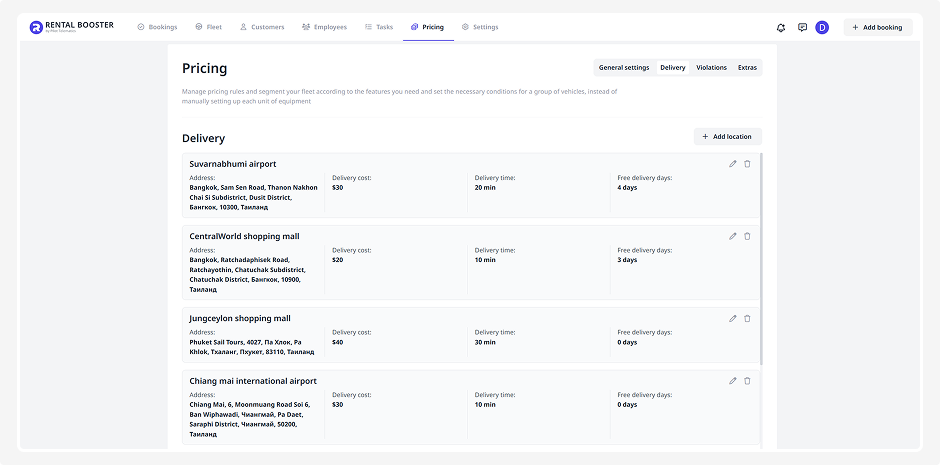
• Location name (for example, Sheremetyevo Airport)
• Country, region and city
• Address — the central point of the zone, used for map reference
• Location type — mark whether it’s an airport, office, or another pick-up point
• If it’s an airport, specify its name
• Delivery fee for this location
• Estimated delivery time to this location
• Free delivery threshold — specify the rental duration after which the delivery becomes free
3. Click Save
Click the pencil icon to edit a location or the trash icon to delete it.