
Customer list
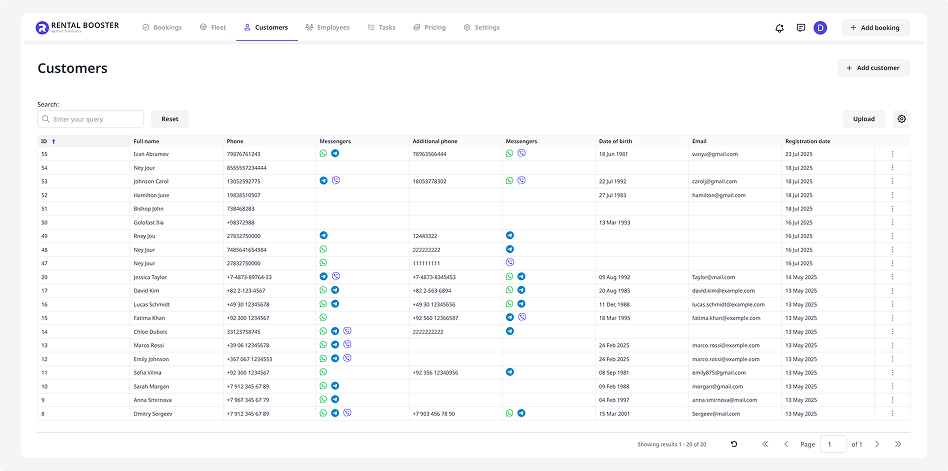
In Rental Booster, all customers are displayed in a list. Here you can see the main details: name, contact information, date of birth, email, and registration date. To find a specific customer, use the search bar — enter the customer’s name, phone number, email, or date of birth.
How to delete a customer from the list
If you need to remove a customer:
1. Find the customer in the list
2. Click the three dots next to their name
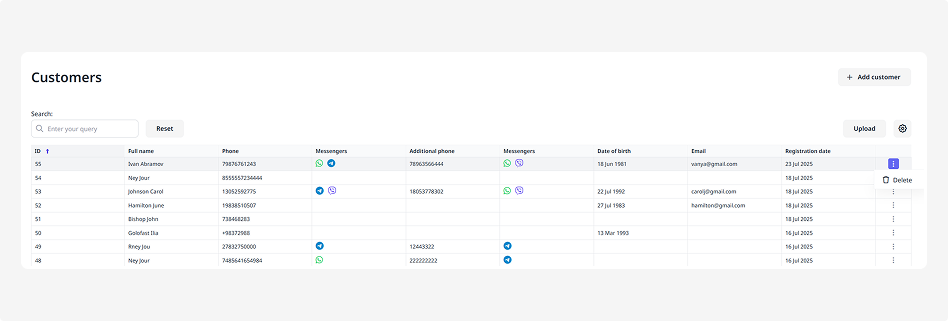
3. Select Delete
How to upload a customer list from a file
If you already have a customer database in Excel, you can upload it to the CRM:
1. Click Upload
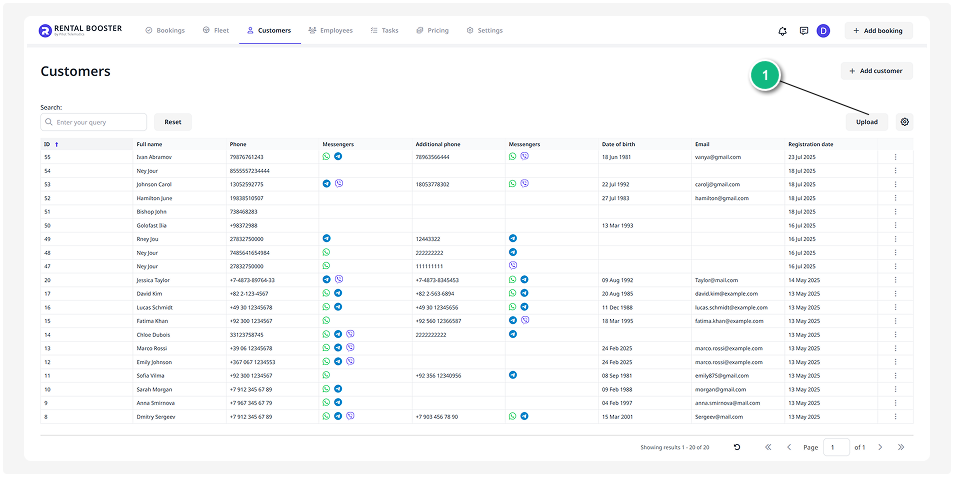


2. Select your Excel or CSV file and click Upload
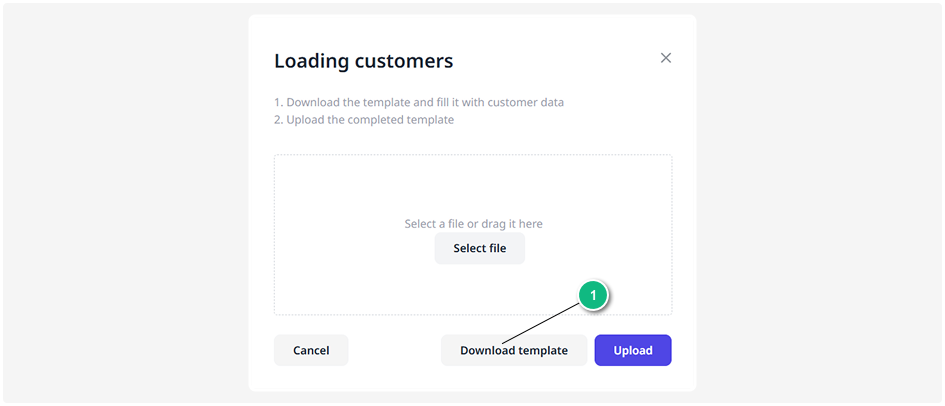
3. If you don’t have a prepared database, download the template, fill it in, and upload it. The system will recognize the data and automatically add customers to the list.